
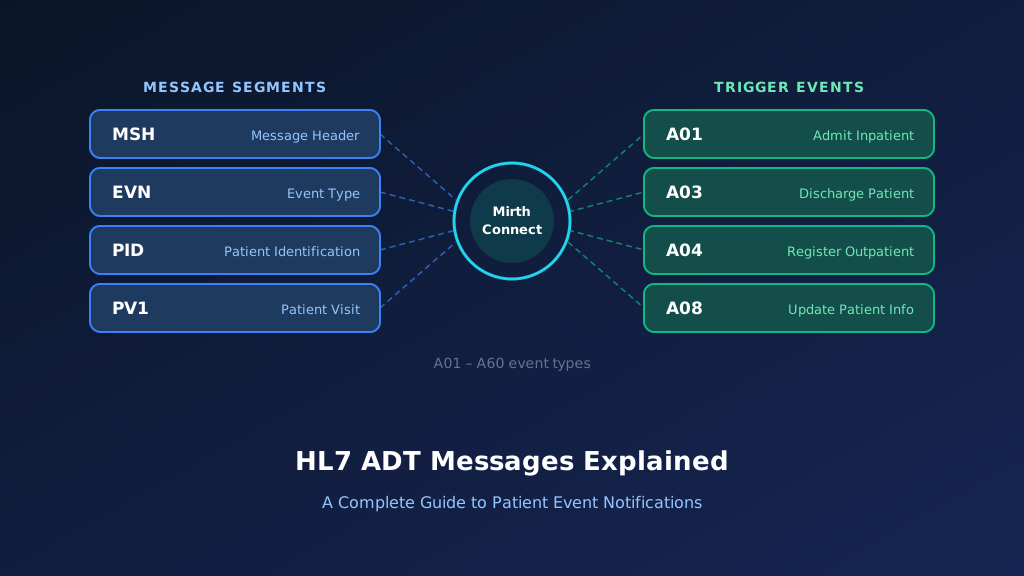
The HL7 A61message is an Admit, Discharge, Transfer (ADT) event used to communicate changes in the consulting doctor associated with a patient's encounter. Known as ADT A61: Change Consulting Doctor, this event supports provider assignment updates between hospital information systems, EHRs, and other connected healthcare applications. Consulting doctor information is commonly represented in PV1-9, although implementations must follow their supported HL7 version and interface specifications. Accurate exchange helps maintain consistent consultation assignments, provider identification, and administrative records. This guide covers A61 message structure, examples, Mirth Connect implementation, acknowledgments, troubleshooting, and best practices.
What Is an HL7 ADT A61 Message?
An HL7 ADT A61 message communicates an administrative change to the consulting doctor associated with a patient encounter. Healthcare organizations may update consulting physician assignments when a specialist is added, replaced, or removed from a consultation workflow.
The message belongs to the HL7 Version 2 patient administration family and helps connected applications maintain consistent provider information. A61 should not be interpreted as a new patient admission, transfer, or attending doctor change. The distinction matters because consulting and attending physicians may have different responsibilities within the same encounter. For the wider event family, see our HL7 ADT messages guide.
Purpose of the HL7 A61 Event
A61 communicates a consulting doctor change associated with an existing patient encounter. Receiving applications use the notification to update supported provider assignment information according to their interface agreements.
When Is an ADT A61 Message Generated?
An A61 notification may be generated when an authorized user changes the consulting physician, corrects a provider assignment, or updates consultation responsibility during an encounter.
Which Healthcare Systems Receive A61 Messages?
EHRs, hospital information systems, registration applications, consultation management platforms, and clinical documentation systems may receive A61 notifications when they support consulting doctor updates.
How A61 Supports Consultation Workflows
A61 helps maintain consistent consulting physician information across applications. Accurate assignments support administrative coordination, provider lookup, clinical documentation, and consultation management.
Why Accurate A61 Processing Matters
An incorrect consulting physician assignment may affect clinical communication and administrative workflows. Receiving applications must verify patient identity, encounter information, provider identifiers, and assignment rules before processing changes.
HL7 ADT A61 Message Structure and Segments
HL7 A61 follows the delimiter-based message format used in HL7 Version 2. The message identifies the sending application, event, patient, encounter, and consulting physician information. Important segments commonly include MSH, EVN, PID, and PV1, depending on the applicable HL7 release and message profile; in v2.5 the ADT_A61 structure also allows an optional ROL segment.
PV1-9 is historically associated with consulting doctor information. However, the precise interpretation and availability of this field depend on the HL7 version. Implementations should not assume that every version uses the same provider representation.
MSH Segment: Message Header
MSH identifies the sending application, receiving application, message timestamp, trigger event, control identifier, and HL7 version. MSH-9 identifies the A61 event.
EVN Segment: Event Information
EVN provides administrative information about the consulting doctor change, including the recorded event timestamp. This supports tracking, reconciliation, and troubleshooting.
PID Segment: Patient Identification
PID identifies the patient associated with the consultation assignment. Receiving applications should validate patient identifiers and assigning authorities before updating encounter information.
PV1 Segment: Patient Visit Information
PV1 provides visit details, including patient class, location, provider assignments, and visit number. It helps receiving applications identify the correct encounter.
Consulting Doctor Information
Consulting doctor information may be represented in PV1-9 in implementations that support that field. Version-specific requirements and local interface agreements determine the authoritative mapping.
HL7 ADT A61 Message Example With Field Explanation
Consider a hospital where patient Daniel Wilson is receiving inpatient care. The encounter is identified by visit number VIS610001. The registration system records a consulting physician reassignment from Dr. Michael Brown to Dr. Sarah Lee.
An authorized user updates the consulting doctor information in the source application, and the source generates an A61 notification to inform connected healthcare systems. The following simplified example illustrates a consulting physician change using an interface profile that supports PV1-9.
Complete HL7 ADT A61 Sample Message
MSH|^~\&|REGISTRATION|HOSPITAL|EHR|MAIN|20261022150000||ADT^A61^ADT_A61|MSG61001|P|2.5
EVN|A61|20261022145500
PID|1||MRN610001^^^HOSPITAL^MR||WILSON^DANIEL||19790518|M
PV1|1|I|WARD6^ROOM15^BED1||||1234^SMITH^ANNA||6789^LEE^SARAH||||||||||VIS610001^^^HOSPITAL^VN
All patient and provider information is fictional. The example uses PV1-9 to represent Dr. Sarah Lee as the consulting doctor.
Previous consultant
Dr. Michael Brown
Provider ID: 4567
Replacement consultant
Dr. Sarah Lee
Provider ID: 6789
The previous consultant is scenario context and is not explicitly transmitted as a separate field in this sample.
Explore each segment and its key fields:
Illustrative ADT^A61 — HL7 v2.5 (fictional data)
Select a segment to see what it carries
MSH — Message Header
RequiredMSH identifies REGISTRATION as the sending application and EHR as the destination. ADT^A61^ADT_A61 identifies the consulting doctor change event and message structure, while MSH-10 supports message tracking.
| Field | Meaning | Value in this message |
|---|---|---|
| MSH-3 | Sending application | REGISTRATION |
| MSH-4 | Sending facility | HOSPITAL |
| MSH-5 | Receiving application | EHR |
| MSH-9 | Message type | ADT^A61^ADT_A61 |
| MSH-10 | Message control ID | MSG61001 |
| MSH-12 | HL7 version | 2.5 |
MSH Segment Explained
MSH identifies REGISTRATION as the sending application and EHR as the destination. ADT^A61^ADT_A61 identifies the consulting doctor change event, while MSH-10 supports message tracking.
EVN Segment Explained
EVN identifies the administrative event and its recorded timestamp. The destination can use this information for audit tracking and investigation of delayed notifications.
PID-3: Patient Identifier Explained
PID-3 contains MRN610001, the medical record number associated with the patient. The destination should verify the identifier and assigning authority before processing the provider update.
PV1-9: Consulting Doctor Explained
PV1-9 contains the consulting physician information in this example. The replacement consultant is Dr. Sarah Lee, identified by provider number 6789.
PV1-19: Visit Number Explained
PV1-19 identifies the patient encounter. The receiving application should verify the visit number and assigning authority to prevent an update from being applied to another encounter.
Important HL7 ADT A61 Fields and Mapping
Accurate A61 integration requires correct patient, encounter, and consulting provider identification. MSH-9 identifies the event, MSH-10 supports tracking, and MSH-12 identifies the HL7 version. PID-3 identifies the patient, while PV1-19 may identify the visit. PV1-9 can contain consulting doctor information in supported implementations.
Because provider field definitions evolve between HL7 releases, integration teams must validate the relevant version and avoid assuming identical field semantics across all interfaces. Our HL7 parsing and data mapping team can document provider field rules for your version.
| HL7 Field | Description | Example | Integration Purpose |
|---|---|---|---|
| MSH-3 | Sending Application | REGISTRATION | Source identification |
| MSH-4 | Sending Facility | HOSPITAL | Source facility |
| MSH-9 | Message Type | ADT^A61^ADT_A61 | Consulting doctor change |
| MSH-10 | Message Control ID | MSG61001 | Message tracking |
| MSH-12 | HL7 Version | 2.5 | Version validation |
| EVN-2 | Recorded Date/Time | 20261022145500 | Event timestamp |
| PID-3 | Patient Identifier | MRN610001 | Patient matching |
| PID-5 | Patient Name | WILSON^DANIEL | Demographic context |
| PV1-2 | Patient Class | I | Encounter classification |
| PV1-3 | Assigned Location | WARD6^ROOM15^BED1 | Location context |
| PV1-7 | Attending Doctor | 1234^SMITH^ANNA | Attending physician |
| PV1-9 | Consulting Doctor | 6789^LEE^SARAH | Consulting physician |
| PV1-19 | Visit Number | VIS610001 | Encounter matching |
PV1-9.1: Consulting Doctor Identifier
PV1-9.1 may contain the consulting provider identifier in supported profiles. The destination should resolve the identifier using the appropriate provider directory and assigning authority.
PV1-9.2 and PV1-9.3: Consulting Doctor Name
These components commonly represent the provider's family and given names in supported XCN-based mappings. Provider names should support display and reconciliation rather than replace unique identifier matching.
PV1-7 vs PV1-9: Attending and Consulting Doctors
PV1-7 represents the attending doctor, while PV1-9 historically represents consulting doctor information. The two roles should remain distinct in the destination's provider assignment model.
PV1-19: Encounter Identification
PV1-19 identifies the visit associated with the consulting doctor change. It helps prevent provider information from being applied to the wrong patient encounter.
PID-3: Patient Identity
PID-3 provides the patient identifier used for matching. Complete identifier context, including assigning authority, should be preserved to prevent collisions across facilities.
How HL7 ADT A61 Consulting Doctor Change Workflows Operate
An A61 workflow begins when an authorized user changes consulting physician information associated with an encounter. The source application verifies the patient, visit, and provider assignment, then generates an A61 notification containing the updated consulting doctor information.
An integration engine validates the message and routes it to connected applications. The receiving application resolves the provider identifier, confirms the encounter, and applies the supported assignment change. The process should preserve existing attending doctor information unless another authorized event explicitly modifies it.
Step 1: Identify the Consulting Doctor Change
An authorized workflow identifies a need to change the consulting physician. The source records the new assignment and determines which patient encounter is affected.
Step 2: Verify Patient and Provider Identity
The source validates the patient, visit, and replacement consulting doctor. Provider directory records and identifier domains help prevent incorrect assignments.
Step 3: Generate the A61 Notification
The source creates an A61 message containing patient, encounter, and consulting provider information according to the supported implementation profile.
Step 4: Validate and Route the Message
An integration engine checks the event, required identifiers, and routing rules. The message is forwarded to the destination responsible for maintaining consultation assignments.
Step 5: Apply and Acknowledge the Change
The destination validates the provider and encounter before updating its records. It then acknowledges the processing result and preserves an audit trail.
How to Implement HL7 ADT A61 Messages Using Mirth Connect
Mirth Connect can receive, validate, transform, and route HL7 A61 messages between registration systems, EHRs, provider management applications, and billing platforms. A typical implementation receives the message through an MLLP listener, validates the A61 trigger event, extracts patient and encounter identifiers, and identifies the consulting doctor information in PV1-9.
The destination must determine whether the update adds, replaces, or ends a consulting physician's assignment. HL7 A61 can involve multiple consulting doctors, so a single-provider replacement rule is not sufficient for every interface. Mirth Connect development services can support these requirements.
Configure the Mirth Connect Source Connector
Create a channel with an MLLP Listener and HL7 v2.x inbound data type. Configure authorized sending applications, secure transport, message retention, acknowledgment behavior, and destination routing.
Filter HL7 ADT A61 Messages
Use a JavaScript filter to accept the intended event and HL7 version.
var messageType =
    msg['MSH']['MSH.9']['MSH.9.1'].toString();

var triggerEvent =
    msg['MSH']['MSH.9']['MSH.9.2'].toString();

var version =
    msg['MSH']['MSH.12']['MSH.12.1'].toString();

return messageType === 'ADT' &&
       triggerEvent === 'A61' &&
       version === '2.5';
The HL7 v2.5 message structure is ADT_A61. Production validation should include MSH-9.3 where populated, required segments, sender identity, and the agreed interface profile.
Extract Patient, Encounter, and Consulting Doctor Information
A JavaScript transformer can extract the patient, encounter, and consulting physician information. The following example handles multiple PV1-9 repetitions and builds a destination-neutral JSON object.
function getField(segment, fieldName) {
    var field = segment[fieldName];

    if (field.length() === 0) {
        return '';
    }

    return field.toString().trim();
}

function getComponent(field, componentName) {
    if (field.length() === 0) {
        return '';
    }

    return field[componentName].toString().trim();
}

var msh = msg['MSH'];
var pid = msg['PID'];
var pv1 = msg['PV1'];

var type = getComponent(
    msh['MSH.9'], 'MSH.9.1'
);

var event = getComponent(
    msh['MSH.9'], 'MSH.9.2'
);

var version = getComponent(
    msh['MSH.12'], 'MSH.12.1'
);

if (type !== 'ADT' ||
    event !== 'A61' ||
    version !== '2.5') {
    throw new Error('Unexpected HL7 message');
}

var patientId = getComponent(
    pid['PID.3'], 'PID.3.1'
);

var visitId = getComponent(
    pv1['PV1.19'], 'PV1.19.1'
);

var controlId = getComponent(
    msh['MSH.10'], 'MSH.10.1'
);

if (!patientId || !visitId || !controlId) {
    throw new Error(
        'Missing required routing identifiers'
    );
}

var consultants = [];

for each (var doctor in pv1['PV1.9']) {
    var providerId = getComponent(
        doctor, 'PV1.9.1'
    );

    if (!providerId) {
        continue;
    }

    consultants.push({
        identifier: providerId,
        familyName: getComponent(
            doctor, 'PV1.9.2'
        ),
        givenName: getComponent(
            doctor, 'PV1.9.3'
        ),
        assigningAuthority: getComponent(
            doctor, 'PV1.9.9'
        )
    });
}

var result = {
    eventType: 'A61',
    patientId: patientId,
    visitId: visitId,
    consultingDoctors: consultants,
    messageControlId: controlId,
    hl7Version: version
};

channelMap.put(
    'consultingDoctorChange',
    JSON.stringify(result)
);
This example assumes the receiving interface requires PV1-19 and uses PV1-9 to communicate consultants. Production code must validate the full identifier domains, handle XCN repetitions correctly, and account for role segments when present.
Transform A61 Into a Provider Assignment Request
After validation, the channel can build a destination-specific request for an approved provider assignment API.
var event = JSON.parse(
    channelMap.get('consultingDoctorChange')
);

var request = {
    action: 'reconcileConsultingDoctors',
    eventType: event.eventType,

    patientIdentifier: event.patientId,
    encounterIdentifier: event.visitId,

    consultingDoctors: event.consultingDoctors,

    processingStatus:
        'pending_provider_validation',

    sourceMessageControlId:
        event.messageControlId
};

channelMap.put(
    'jsonPayload',
    JSON.stringify(request)
);
This is an illustrative application payload, not a standardized HL7 API. The destination must determine whether the transmitted providers represent a complete consulting doctor list or only a specific change.
Handle ROL and Provider Assignment Dates
In HL7 v2.5, the optional ROL segment can provide additional provider role information. ROL-5 and ROL-6 support role begin and end dates. Later HL7 versions may support PRT instead.
Configure Destination Validation and Monitoring
Validate provider identifiers against the destination directory and verify the patient encounter. Configure duplicate detection, controlled retries, acknowledgment handling, and exception queues for unresolved assignments.
HL7 ADT A61 ACK Message Examples and Error Handling
HL7 acknowledgments allow the sending application to determine whether an A61 notification was accepted or rejected under the configured processing agreement. A typical acknowledgment includes MSH and MSA segments, with ERR providing diagnostic information when needed.
In original acknowledgment mode, AA indicates application acceptance, AE indicates an application error, and AR indicates application rejection. An AA response should not automatically be interpreted as confirmation that every connected application has completed its consulting doctor assignment update.
Successful A61 ACK: AA
The receiving application accepts the A61 message and references its control identifier.
MSH|^~\&|EHR|MAIN|REGISTRATION|HOSPITAL|20261022150001||ACK^A61^ACK|ACK61001|P|2.5
MSA|AA|MSG61001
Application Error ACK: AE
An application error may occur when the destination cannot resolve the consulting provider or identify the encounter.
MSH|^~\&|EHR|MAIN|REGISTRATION|HOSPITAL|20261022150002||ACK^A61^ACK|ACK61002|P|2.5
MSA|AE|MSG61001
ERR|||204^Unknown Key Identifier^HL70357|E
The ERR content is illustrative. Actual error codes and field locations must follow the destination's interface specification.
Application Rejection ACK: AR
The destination may reject an unsupported event, unauthorized sender, or message that violates its validation requirements.
MSH|^~\&|EHR|MAIN|REGISTRATION|HOSPITAL|20261022150003||ACK^A61^ACK|ACK61003|P|2.5
MSA|AR|MSG61001
Correlate ACK Responses With Original Messages
MSA-2 should match the original message's MSH-10 identifier. Monitoring should associate acknowledgments with the patient, encounter, consulting providers, and processing outcome.
Handle Retries Without Duplicate Assignments
Before resending an unacknowledged A61 notification, determine whether the destination already processed it. Repeated delivery must not create duplicate consultation assignments or overwrite later changes.
Common HL7 ADT A61 Integration Errors and Troubleshooting
HL7 A61 integration failures often involve incorrect PV1-9 mapping, provider identifier mismatches, missing encounter information, and unsupported consulting physician relationships. Some destinations expect a single consulting doctor, while others support multiple simultaneous consultants.
Additional problems arise when provider assignment end dates are lost or when delayed A61 messages overwrite newer information. Troubleshooting should focus on the message's actual provider values, the supported interface profile, and the destination's authoritative assignment history.
Consulting Doctor Identifier Cannot Be Resolved
The destination may not recognize the consulting physician identifier. Verify the assigning authority, provider directory mapping, and any facility-specific identifier conversions.
PV1-9 Is Mapped Incorrectly
PV1-9 contains consulting doctor information in supported profiles. Mapping it to attending or referring physician fields may produce incorrect clinical and administrative assignments.
Multiple Consulting Doctors Are Not Supported
A destination may support only one consultant while the source communicates several. Define an explicit mapping strategy instead of silently discarding additional provider entries.
Provider Assignment Dates Are Missing
When role begin or end dates are relevant, missing ROL or PRT information may prevent accurate reconciliation. Validate the applicable HL7 version and supported role fields.
Delayed Messages Overwrite Later Assignments
An older A61 notification may arrive after a newer provider change. Compare administrative event history and effective timestamps before modifying the destination's current assignment.
HL7 ADT A61 vs A54, A62, A08, and A02
HL7 Version 2 distinguishes consulting doctor changes from attending doctor changes, cancellations, general patient updates, and transfers. A61 communicates a change involving consulting physician assignments. A54 concerns the attending doctor. A62 cancels a previously recorded consulting doctor change. A08 handles general patient information updates, while A02 communicates a patient transfer. These events require different validation and processing rules.
| HL7 Event | Meaning | Primary Purpose |
|---|---|---|
| A61 | Change Consulting Doctor | Update consulting physician assignments |
| A62 | Cancel Change Consulting Doctor | Cancel an earlier consulting doctor change |
| A54 | Change Attending Doctor | Update attending physician assignment |
| A08 | Update Patient Information | Communicate general patient or visit updates |
| A02 | Transfer a Patient | Communicate patient transfer |
A61 vs A54: Consulting and Attending Doctors
A61 updates consulting doctor information, while A54 updates the attending doctor. The two roles should remain distinct because their responsibilities and downstream workflows differ.
A61 vs A62: Change and Cancellation
A61 communicates a consulting physician change. A62 cancels an earlier A61 event, requiring the destination to reconcile the original provider assignment.
A61 vs A08: Specific and General Updates
A61 specifically identifies a consulting doctor change. HL7 guidance recommends using A08 as an additional event when other important patient information also changes.
A61 vs A02: Provider Change and Patient Transfer
A02 communicates a patient transfer, while A61 communicates consulting physician changes. A transfer may affect consultation assignments, but the events are not interchangeable.
Best Practices for Reliable HL7 A61 Integration
Reliable A61 integration requires accurate patient and encounter matching, consistent provider identifiers, and explicit consulting physician assignment rules. Healthcare organizations should define the authoritative source of consulting doctor information and document how receiving applications handle additions, replacements, and removals.
Interfaces must preserve the difference between attending and consulting roles, support multiple consultants when required, and protect later valid assignments from delayed messages.
Validate Consulting Physician Identifiers
Use structured provider identifiers and assigning authorities. Avoid relying exclusively on names, which may be duplicated or represented differently between healthcare applications.
Support Multiple Consulting Physicians
A61 can communicate changes involving more than one consulting physician. Define how repeated provider entries are interpreted and ensure the destination does not silently lose valid assignments.
Preserve Assignment Effective Dates
When available, retain provider role begin and end dates. These timestamps can support consultation history, billing workflows, and reconciliation of provider responsibilities.
Implement Duplicate Detection and Event Sequencing
Track message control identifiers and provider assignment history. Reconcile delayed or repeated A61 messages before applying updates that could overwrite later authorized changes.
Monitor Downstream Provider Consistency
Confirm that EHRs, consultation systems, and billing applications reflect the intended consulting physician assignments. Investigate discrepancies through a monitored exception workflow.
Frequently Asked Questions About HL7 ADT A61 Messages
What does A61 mean in HL7?
A61 is the HL7 Version 2 event called Change Consulting Doctor. It communicates a change involving the consulting physician or physicians associated with a patient encounter, allowing receiving applications to update their supported provider assignment records.
Which HL7 field identifies the consulting doctor?
PV1-9 identifies the consulting doctor in supported HL7 Version 2 implementations. The field can contain structured provider identifiers and names. Additional provider role information may be communicated through ROL or PRT segments, depending on the HL7 version.
What is the difference between HL7 A54 and A61?
A54 communicates an attending doctor change, while A61 communicates a consulting doctor change. The attending doctor and consulting physician may have different clinical and administrative responsibilities, so their assignments should be maintained separately.
What is the difference between HL7 A61 and A62?
A61 communicates a consulting doctor change. A62 cancels a previously recorded A61 change. Receiving systems should validate the original event and reconcile the intended provider assignment before applying the cancellation.
Can an HL7 A61 message contain multiple consulting doctors?
Yes. HL7 A61 supports changes involving consulting physicians, and PV1-9 can represent multiple providers in supported implementations. Receiving applications must follow the interface profile to interpret additions, removals, and complete assignment lists correctly.
Can Mirth Connect process HL7 A61 messages?
Yes. Mirth Connect can receive, validate, transform, and route A61 messages. It can extract patient identifiers, encounter information, consulting provider details, and supported role information before forwarding the update to an authorized application.
Need Help With HL7 ADT A61 Integration?
Consulting doctor changes require reliable communication between EHRs, registration systems, consultation management applications, provider directories, and billing platforms. Taction Software supports HL7 interface development, Mirth Connect implementation, provider identifier mapping, and healthcare interoperability.
Our engineers can help healthcare organizations implement A61 workflows, configure PV1-9 mappings, investigate provider assignment discrepancies, and establish reliable interface monitoring.
HL7 Consulting Doctor Interface Development
We develop HL7 A61 interfaces based on source and destination requirements, including patient matching, consulting physician mapping, encounter validation, and provider assignment reconciliation.
Mirth Connect Development and Integration
Our engineers configure Mirth Connect channels for consulting doctor updates, including JavaScript transformations, secure routing, acknowledgment handling, and exception management.
EHR and Provider Directory Integration
We support integration between EHRs, registration applications, provider directories, consultation systems, and billing platforms using approved provider assignment workflows.
Production Monitoring and Troubleshooting
We help investigate failed consulting doctor updates, provider identifier mismatches, missing role information, acknowledgment errors, and inconsistent downstream assignments.
Need help with HL7 ADT integration? Explore our HL7 interface messaging services and EHR and EMR integration services to discuss your requirements.