
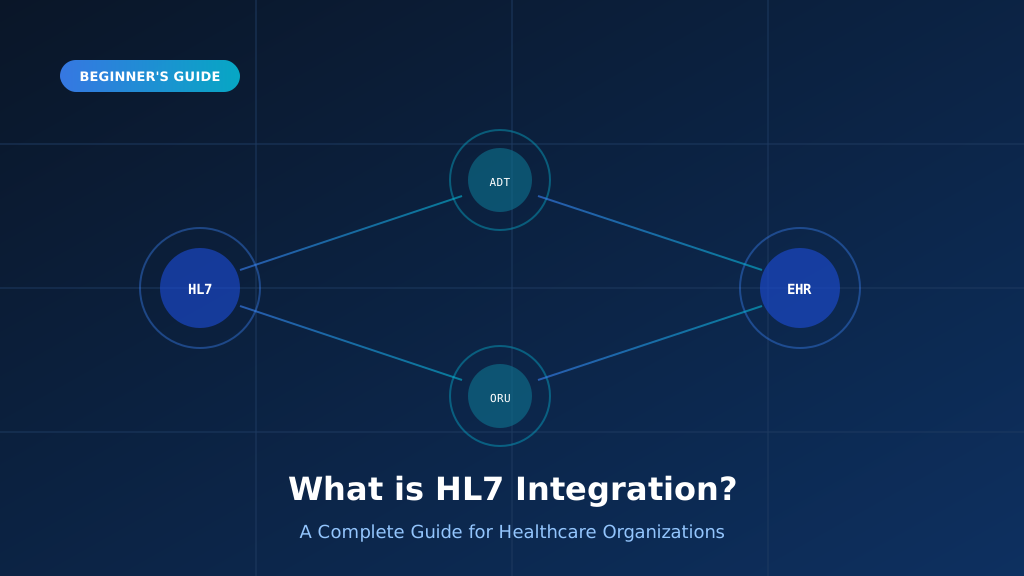
HL7 integration is how healthcare systems that were never designed to talk to each other end up sharing patient data in real time. It is the difference between a lab result appearing in the chart automatically and a nurse retyping it. This guide explains what HL7 is, how integration actually works, which message types matter, and how v2 and FHIR fit together. If you are scoping a project, speak with our integration engineers before you commit to an approach or a vendor.
What Is HL7 and Who Controls It?
HL7 stands for Health Level Seven, a family of standards published by HL7 International for exchanging clinical and administrative data. The name refers to layer seven of the OSI model, the application layer, which is where these standards operate. HL7 does not move data itself; it defines the shape of the messages and the events that trigger them. Understanding that distinction matters, because most integration problems are mapping problems rather than transport problems.
A Standard, Not a Product
HL7 is a specification, not software you install. Vendors implement it inside their own products, which is why two conformant systems can still disagree about what belongs in a given field.
The Standards Family
HL7 v2 handles real-time messaging, v3 and CDA cover structured clinical documents, and FHIR provides modern REST APIs. Most hospitals run several of these standards simultaneously rather than ever settling on just one.
Why Layer Seven Matters
Operating at the application layer means HL7 describes clinical meaning rather than bytes on a wire. Transport is handled separately by MLLP, HTTPS or file transfer, depending entirely on what the interface requires.
Who Maintains the Standard
HL7 International is a non-profit standards body with member organizations worldwide. Regional affiliates publish local variations, and in the United States the ONC references HL7 standards directly inside federal interoperability regulation.
What HL7 Does Not Cover
HL7 says nothing about your database schema, your user interface or your clinical workflow. Those remain local design decisions, which is exactly why identical standards produce wildly different implementations across two hospitals.
What Does HL7 Integration Actually Involve?
HL7 integration is the work of connecting two or more systems so that an event in one automatically updates the others. In practice this means standing up an interface engine, defining which messages flow in which direction, mapping every field between the two systems, and then monitoring the result forever. The building is rarely the hard part. Agreeing what each field means, and handling the cases where a vendor populates it differently, is where most project time goes.
Choosing an Interface Engine
Mirth Connect, Rhapsody and Cloverleaf all receive, transform and route messages between systems. Our Mirth Connect development services cover channel design, transformation scripting, error handling and ongoing production monitoring for live interfaces.
Mapping Fields Between Systems
Source and target systems rarely agree on codes, formats or which fields are optional. Mapping documents every translation explicitly, including what should happen when a required field arrives empty from the sender.
Defining Message Flow
Decide which system is authoritative for each data type, which direction messages travel, and what happens on failure. Bidirectional interfaces roughly double the testing burden, so justify every one of them deliberately.
Handling Acknowledgements and Retries
HL7 v2 senders expect an ACK for every message. Without reliable acknowledgement handling, messages get resent and duplicated, producing duplicate orders, repeated admissions or double charges in the downstream systems.
Monitoring in Production
Interfaces fail silently far more often than they fail loudly. Alerting on queue depth, error rate and message age catches problems long before a clinician notices a result that never arrived.
Which HL7 Message Types Will You Encounter?
HL7 v2 defines dozens of message types, but a small handful carry the overwhelming majority of real traffic. Each type corresponds to a clinical or administrative event, and each carries a predictable set of segments. Knowing which types your project needs early shapes everything downstream, from engine configuration to testing scope. Most first integrations involve two or three types rather than the full catalogue, so resist the temptation to build for messages nobody has asked for.
ADT: Patient Movement
Admissions, discharges, transfers and demographic updates. ADT is usually the highest-volume feed in any hospital and is often the very first interface a team builds, as our ADT message guide explains.
ORM and OMG: Orders
Sent whenever a clinician orders a test, medication or procedure. Orders carry the identifiers that results must later reference, which is why order interfaces are almost always built before result interfaces.
ORU: Results
Returns laboratory, radiology and other clinical observations. ORU messages carry OBX segments containing the value, units and reference ranges, and these are what populate a patient chart automatically without retyping.
SIU: Scheduling
Appointment bookings, changes and cancellations. Common wherever a scheduling system sits separately from the EHR, and frequently overlooked entirely until the go-live plan exposes the gap at the worst moment.
MDM and DFT: Documents and Billing
MDM moves transcribed documents and reports; DFT carries charge detail into billing systems. Both matter far more to revenue cycle teams than to clinicians, which is precisely why they get scoped late.
HL7 v2 or FHIR: Which Applies to Your Project?
Newcomers often assume FHIR has replaced HL7 v2. It has not. The two standards solve different problems and coexist in almost every organization running modern healthcare software. HL7 v2 moves high-volume clinical events between internal systems over persistent connections. FHIR exposes patient data as REST APIs to applications outside the hospital walls. Choosing between them is really a question about who consumes the data, not about which specification is newer or better engineered.
v2 for Internal Clinical Messaging
Laboratory, radiology and pharmacy systems overwhelmingly speak v2. If both ends sit inside your own network and the message volume is high, v2 remains the pragmatic and considerably cheaper choice.
FHIR for External Consumers
Patient portals, mobile apps and payer exchanges all assume REST and OAuth. Federal rules now mandate FHIR R4 for patient access, so external-facing work is effectively decided for you already.
They Coexist by Design
A facade can expose your existing v2 feeds as FHIR resources without touching the source systems at all. This hybrid is the realistic destination for most organizations, not a temporary staging point.
The Detailed Comparison
Format, transport, data model and vendor conformance all differ substantially between the two. Our HL7 v2 vs FHIR comparison breaks down each dimension and includes an interactive assessment you can run yourself.
What Stays the Same
Both standards require field-level mapping and both carry identical HIPAA obligations. Switching standards does not reduce the compliance workload, and it never eliminates the need for careful, documented data mapping.
What Does Proper HL7 Integration Actually Deliver?
The business case for HL7 integration is usually made in terms of interoperability, which is too abstract to fund. The measurable benefits are more specific: clinicians see results sooner, staff stop retyping data between systems, transcription errors disappear, billing cycles shorten, and regulatory reporting stops being a manual exercise. Each of these is quantifiable in your own organization, and together they are what turn an integration project from a technical initiative into an operational one.
Results Reach Clinicians Faster
Automated ORU delivery puts laboratory and imaging results into the chart the moment they are verified, rather than after a courier run or a manual upload several hours later in the day.
Transcription Errors Disappear
Every manual re-entry is an opportunity for a wrong value to reach a chart. Removing the keyboard from the path between two systems removes an entire category of avoidable clinical risk.
Administrative Load Drops
Registration staff stop entering the same patient into four separate systems. That time returns directly to patient-facing work, and the saving is straightforward to calculate from your existing headcount figures.
Revenue Cycle Accelerates
Charges captured automatically from clinical events reach billing sooner and with far fewer omissions. That shortens days in accounts receivable and recovers revenue that manual processes routinely leave uncollected entirely.
Compliance Becomes Routine
ONC and CMS requirements assume automated data exchange is already in place. Organizations with working integrations meet their reporting obligations as a by-product rather than as a separate annual project.
How Should You Start Your First HL7 Project?
First integrations go wrong in predictable ways: scope grows, vendor cooperation arrives late, and testing gets compressed. The way to avoid this is to start narrow and prove the pipeline end to end before adding interfaces. Pick one message type, one direction, and one pair of systems. Get it into production, watch it run, and only then expand. A working single interface teaches your team more than six months of architecture documents.
Inventory Your Systems First
List every system, which standard it speaks, and who owns the vendor relationship. Integration timelines are usually set by vendor responsiveness rather than by the engineering effort your own team contributes.
Start With One Interface
An inbound ADT feed is the usual starting point. It is high value, well understood across the industry, and exercises your whole pipeline without the added complexity of bidirectional message flow.
Budget Realistically for Mapping
Expect mapping and testing to consume considerably more time than building the interface itself. Our EHR integration best practices cover the patterns that keep this phase predictable rather than open-ended.
Test With Real Message Volumes
Sample messages hide the problems that actually matter in production. Test with production-like volume and with the genuinely malformed messages your source system emits when it is under real load.
Plan Support Before Go-Live
Decide who watches the interface, who gets paged at night, and how failures are escalated. Interfaces without named owners degrade quietly for weeks until something clinically important finally breaks in production.
Frequently Asked Questions
These questions come up on almost every first HL7 integration project, usually from teams deciding whether to build in-house or bring in specialists. The answers below reflect what actually happens on delivery rather than what vendor documentation promises. If your situation is unusual, the deciding variables are nearly always the same: which standards your systems support, how responsive the vendors are, and how much clinical validation your organization requires before go-live.
What is HL7 integration in simple terms?
HL7 integration connects healthcare systems so they exchange patient data automatically using agreed message formats. When a patient is admitted or a lab result is verified, the event triggers a message that updates every other system, removing the manual re-entry that causes delays and transcription errors.
How long does an HL7 integration take to build?
A single straightforward interface typically takes four to twelve weeks. Most of that time goes to field mapping, vendor coordination and clinical validation rather than development. Complexity multiplies with each additional interface, and vendor responsiveness is usually the largest variable in the schedule.
Do I need an interface engine for HL7 integration?
For anything beyond one or two interfaces, yes. An engine such as Mirth Connect handles routing, transformation, retries and monitoring that you would otherwise build yourself. Point-to-point connections work initially but become unmaintainable once several systems need the same data.
Is HL7 integration HIPAA compliant by default?
No. HL7 defines message structure, not security. HIPAA compliance requires encryption in transit, audit logging, role-based access control and documented PHI handling, all of which you implement around the standard. Any integration carrying patient data must satisfy these obligations independently.
What is the difference between HL7 and FHIR?
FHIR is one of the HL7 standards, not a competitor to HL7. When people contrast them they usually mean HL7 v2 versus FHIR R4. Version 2 uses pipe-delimited messages over MLLP for internal clinical traffic, while FHIR exposes resources as REST APIs for external applications.
Can we build HL7 integration in-house?
Yes, if you have engineers who understand segment grammar, acknowledgement handling and clinical workflow. Teams usually underestimate the mapping and validation effort rather than the coding. Many organizations build their first interface with specialist help, then maintain it internally once the patterns are established.