
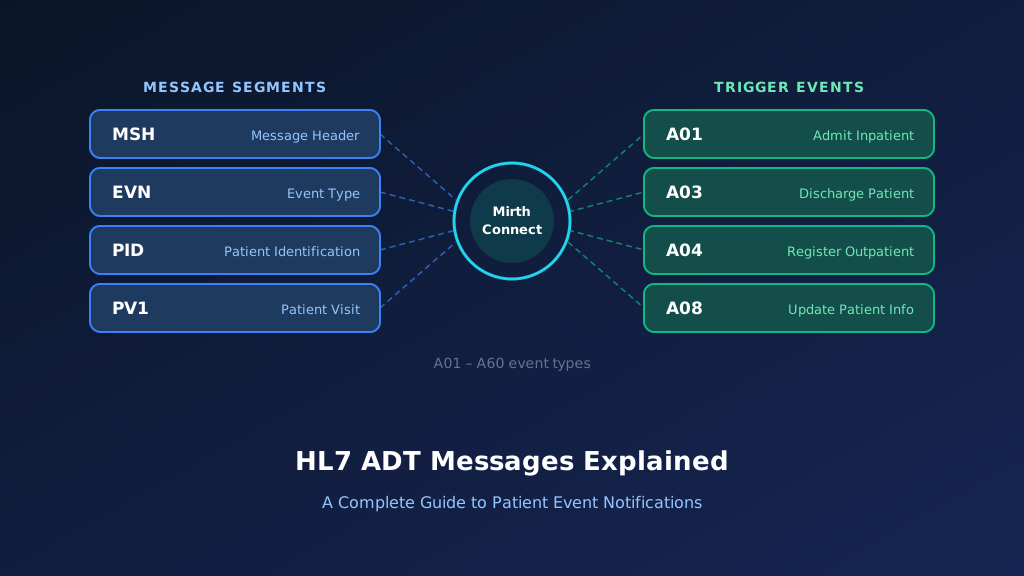
The HL7 A54message is an Admit, Discharge, Transfer (ADT) event used to communicate a change in the attending doctor associated with a patient's encounter. Known as ADT A54: Change Attending Doctor, this event supports the exchange of attending provider changes between hospital registration systems, electronic health records, and other healthcare applications.
The attending doctor is represented in PV1-7, and accurate provider identification is essential for maintaining consistent encounter information. This guide explains A54 message structure, important HL7 fields, sample messages, Mirth Connect implementation, acknowledgment handling, and troubleshooting.
What Is an HL7 ADT A54 Message?
An HL7 ADT A54 message communicates an administrative change to the attending doctor associated with a patient encounter. Healthcare organizations may change the attending doctor because of a care team reassignment, physician coverage arrangement, service transition, or correction to previously recorded provider information.
Connected systems need accurate attending provider information for encounter management, clinical coordination, documentation routing, and administrative workflows. A54 allows an authorized source application to notify downstream systems of this change.
The event belongs to the HL7 Version 2 patient administration family. It should be distinguished from other ADT events that update patient demographics, visit identifiers, or encounter status.
Purpose of the HL7 A54 Event
A54 communicates a change to the attending doctor recorded for an existing encounter. The receiving application uses the notification to update its supported provider assignment while preserving the patient and visit identity.
When Is an ADT A54 Message Generated?
An A54 notification may be generated when a hospital changes the attending physician, corrects an inaccurate provider assignment, or records an authorized transition of attending responsibility during an active encounter.
Which Healthcare Systems Receive A54 Messages?
EHRs, hospital information systems, registration applications, care coordination platforms, clinical documentation systems, and billing applications may receive attending doctor changes when their interfaces support the event.
How A54 Supports Healthcare Workflows
Accurate attending doctor information supports administrative responsibility, provider directories, clinical documentation workflows, and downstream encounter coordination. The receiving system must interpret the change according to its own authorization and workflow rules.
Why Accurate A54 Processing Matters
An incorrect attending doctor assignment may affect clinical routing, administrative reporting, and encounter documentation. Reliable processing requires verified provider identifiers, patient and encounter matching, and controlled updates.
HL7 ADT A54 Message Structure and Segments
HL7 A54 messages use the delimiter-based format of HL7 Version 2. The message includes administrative metadata, patient identification, and visit information. The attending doctor is represented in PV1-7, which uses a structured provider identifier data type.
In HL7 v2.5, A54 uses the ADT_A54 message structure, which it shares with A55. The core segments are MSH, EVN, PID, and PV1. The exact optional segments and required fields must be confirmed against the HL7 release and the sender-receiver implementation guide.
MSH Segment: Message Header
MSH identifies the sending application, receiving application, event timestamp, message type, control identifier, and HL7 version. MSH-9 identifies the A54 trigger event.
EVN Segment: Event Information
EVN provides administrative event information, including the recorded date and time. The receiving application can use this timestamp for audit tracking and event reconciliation.
PID Segment: Patient Identification
PID identifies the patient associated with the provider change. Receiving applications should validate patient identifiers and assigning authorities before updating encounter information.
PV1 Segment: Patient Visit Information
PV1 contains encounter details, including patient class, assigned location, attending doctor, and visit number. It provides the principal context for processing the attending doctor change.
PV1-7: Attending Doctor
PV1-7 identifies the attending doctor associated with the encounter. Its components may include the provider identifier, name, and assigning authority, depending on the HL7 version and interface profile.
HL7 ADT A54 Message Example With Field Explanation
Consider a hospital where patient Amelia Johnson is receiving inpatient care. The encounter is identified by visit number VIS540001. The registration system records a change in attending physician responsibility from Dr. Robert Smith to Dr. Emily Carter. An authorized user updates the attending doctor in the source system, and the source then generates an A54 notification for connected applications. The following example illustrates a simplified HL7 v2.5 message.
Complete HL7 ADT A54 Sample Message
MSH|^~\&|REGISTRATION|HOSPITAL|EHR|MAIN|20261022180000||ADT^A54^ADT_A54|MSG54001|P|2.5
EVN|A54|20261022175500
PID|1||MRN540001^^^HOSPITAL^MR||JOHNSON^AMELIA||19880314|F
PV1|1|I|WARD4^ROOM12^BED1||||5678^CARTER^EMILY^^^^^^HOSPITAL||||||||||||VIS540001^^^HOSPITAL^VN
All patient and provider information is fictional. The key information is the attending doctor assignment represented in PV1-7.
Previous attending doctor
Dr. Robert Smith
Provider ID: 1234
New attending doctor · PV1-7
Dr. Emily Carter
Provider ID: 5678
The previous provider is scenario context, not a separate field explicitly transmitted in this sample message.
Explore each segment and its key fields:
Illustrative ADT^A54 — HL7 v2.5 (fictional data)
Select a segment to see what it carries
MSH — Message Header
RequiredMSH identifies the source registration application and receiving EHR. ADT^A54^ADT_A54 identifies the attending doctor change event and its message structure, while MSH-10 provides a unique message control identifier.
| Field | Meaning | Value in this message |
|---|---|---|
| MSH-3 | Sending application | REGISTRATION |
| MSH-5 | Receiving application | EHR |
| MSH-7 | Message creation time | 20261022180000 |
| MSH-9 | Message type | ADT^A54^ADT_A54 |
| MSH-10 | Message control ID | MSG54001 |
| MSH-12 | HL7 version | 2.5 |
MSH Segment Explained
MSH identifies the source registration application and receiving EHR. ADT^A54^ADT_A54 identifies the attending doctor change event and its message structure, while MSH-10 provides a unique message control identifier for tracking.
EVN Segment Explained
EVN identifies the administrative event and its recorded timestamp. The destination may use this information to establish processing history and investigate delayed notifications.
PID-3: Patient Identifier Explained
PID-3 contains the medical record number MRN540001. The receiving application uses this identifier and its assigning authority to locate the correct patient record.
PV1-7: Attending Doctor Explained
PV1-7 contains the attending doctor's identifier and name. In this example, the replacement provider is Dr. Emily Carter, identified by provider number 5678, with the assigning authority HOSPITAL in component 9.
PV1-19: Visit Number Explained
PV1-19 identifies the patient encounter associated with the provider change. The destination should verify the encounter before modifying its attending doctor assignment.
Important HL7 ADT A54 Fields and Mapping
Correct A54 integration depends on accurate provider, patient, and encounter identification. MSH-9 identifies the event, MSH-10 supports message tracking, and MSH-12 identifies the HL7 version. PID-3 identifies the patient. PV1-7 identifies the attending doctor, while PV1-19 provides the visit number where supported.
An implementation should preserve provider identifier components rather than relying exclusively on physician names. Clear HL7 v2 integration specifications help keep provider mapping consistent across systems.
| HL7 Field | Description | Example | Purpose |
|---|---|---|---|
| MSH-3 | Sending Application | REGISTRATION | Source identification |
| MSH-4 | Sending Facility | HOSPITAL | Source facility |
| MSH-9 | Message Type | ADT^A54^ADT_A54 | Attending doctor change |
| MSH-10 | Message Control ID | MSG54001 | Message tracking |
| MSH-12 | HL7 Version | 2.5 | Version validation |
| EVN-2 | Recorded Date/Time | 20261022175500 | Event timestamp |
| PID-3 | Patient Identifier | MRN540001 | Patient matching |
| PID-5 | Patient Name | JOHNSON^AMELIA | Demographic context |
| PV1-2 | Patient Class | I | Encounter classification |
| PV1-3 | Assigned Location | WARD4^ROOM12^BED1 | Location context |
| PV1-7 | Attending Doctor | 5678^CARTER^EMILY | Provider assignment |
| PV1-19 | Visit Number | VIS540001 | Encounter matching |
PV1-7.1: Attending Doctor Identifier
PV1-7.1 contains the provider identifier. The destination should resolve this value within the appropriate provider identifier domain before applying the assignment.
PV1-7.2 and PV1-7.3: Provider Name
PV1-7.2 and PV1-7.3 commonly contain family and given name information. Names support display and reconciliation but should not replace authoritative provider identifier matching.
PV1-19: Encounter Identification
PV1-19 identifies the visit associated with the attending doctor change. It helps prevent a valid provider update from being applied to the wrong encounter.
PID-3: Patient Identity
PID-3 provides the patient identifier used for matching. Complete identifier context, including assigning authority, should be preserved to avoid collisions across facilities.
MSH-10: Message Control Identifier
MSH-10 identifies the original message for acknowledgment correlation, duplicate detection, and audit tracking. Integration teams should retain this value throughout processing.
How HL7 ADT A54 Attending Doctor Change Workflows Operate
An A54 workflow begins when an authorized user or administrative process changes the attending doctor associated with an encounter. The source application verifies the patient, visit, and replacement provider. It then generates an A54 notification containing the updated attending doctor information.
An integration engine validates the message and routes it to connected applications. The receiving application resolves the provider identifier, verifies the encounter, and applies the supported change.
Step 1: Identify the Provider Reassignment
An authorized workflow identifies a need to change the attending doctor. The source records the reassignment and determines which encounter is affected.
Step 2: Verify Patient and Provider Identity
The source validates the patient, visit, and replacement provider. Provider directory records and identifier domains help prevent incorrect assignments.
Step 3: Generate the A54 Message
The source generates an A54 notification containing the updated attending doctor in PV1-7, together with patient and encounter information.
Step 4: Validate and Route the Message
An integration engine checks the event, required identifiers, and routing rules. The message is forwarded to the destination responsible for maintaining the attending doctor assignment.
Step 5: Apply and Acknowledge the Change
The destination validates the encounter and provider before updating its records. The processing result is acknowledged and retained for audit and reconciliation.
How to Implement HL7 ADT A54 Messages Using Mirth Connect
Mirth Connect can receive, validate, transform, and route HL7 A54 messages between registration systems, EHRs, provider directories, and healthcare applications. A typical implementation receives the message through an MLLP listener, validates the event type, extracts the attending doctor and encounter identifiers, and forwards the update to an authorized destination.
The integration should preserve provider identifiers and assigning authorities, validate the target encounter, and prevent duplicate or out-of-order updates. Organizations can use Mirth Connect development services to implement message filtering, transformation, secure routing, acknowledgment processing, and exception monitoring.
Configure the Mirth Connect Source Connector
Create a channel using an MLLP Listener and HL7 v2.x inbound data type. Configure the expected sending applications, transport security, message retention, response behavior, and destination routing.
Filter HL7 ADT A54 Messages
Use a JavaScript filter to accept the expected A54 event and HL7 version.
var messageType =
    msg['MSH']['MSH.9']['MSH.9.1'].toString();

var triggerEvent =
    msg['MSH']['MSH.9']['MSH.9.2'].toString();

var version =
    msg['MSH']['MSH.12']['MSH.12.1'].toString();

return messageType === 'ADT' &&
       triggerEvent === 'A54' &&
       version === '2.5';
This filter assumes HL7 v2.5. Production implementations should also validate MSH-9.3 where applicable, required segments, sender identity, and the agreed implementation profile.
Extract the Attending Doctor and Encounter Information
Use a JavaScript transformer to extract the attending doctor's identifier and name, the patient identifier, and the encounter number.
function getComponent(segment, field, component) {
    var fieldName = segment + '.' + field;
    var componentName = fieldName + '.' + component;

    var fieldNode = msg[segment][fieldName];

    if (fieldNode.length() === 0) {
        return '';
    }

    var componentNode = fieldNode[componentName];

    if (componentNode.length() === 0) {
        return '';
    }

    return componentNode.toString().trim();
}

var messageType = getComponent('MSH', 9, 1);
var triggerEvent = getComponent('MSH', 9, 2);
var version = getComponent('MSH', 12, 1);

var patientId = getComponent('PID', 3, 1);
var patientAuthority = getComponent('PID', 3, 4);

var visitNumber = getComponent('PV1', 19, 1);
var visitAuthority = getComponent('PV1', 19, 4);

var attendingId = getComponent('PV1', 7, 1);
var attendingFamilyName = getComponent('PV1', 7, 2);
var attendingGivenName = getComponent('PV1', 7, 3);
var attendingAuthority = getComponent('PV1', 7, 9);

var controlId = getComponent('MSH', 10, 1);
var eventTimestamp = getComponent('EVN', 2, 1);

if (messageType !== 'ADT' ||
    triggerEvent !== 'A54' ||
    version !== '2.5') {
    throw new Error(
        'Unsupported HL7 event or version'
    );
}

if (!patientId || !visitNumber) {
    throw new Error(
        'Missing patient or encounter identifier'
    );
}

if (!attendingId) {
    throw new Error(
        'Missing attending doctor identifier'
    );
}

if (!controlId) {
    throw new Error(
        'Missing message control identifier'
    );
}

var attendingChange = {
    eventType: 'A54',

    patient: {
        identifier: patientId,
        assigningAuthority: patientAuthority
    },

    encounter: {
        visitNumber: visitNumber,
        assigningAuthority: visitAuthority
    },

    attendingDoctor: {
        identifier: attendingId,
        familyName: attendingFamilyName,
        givenName: attendingGivenName,
        assigningAuthority: attendingAuthority
    },

    sourceEvent: {
        hl7Version: version,
        messageControlId: controlId,
        timestamp: eventTimestamp
    }
};

channelMap.put(
    'attendingChange',
    JSON.stringify(attendingChange)
);
This example assumes one attending doctor and a specific provider identifier representation. Production implementations must support the relevant XCN components, repetitions, and assigning authority formats defined by the interface agreement.
Transform A54 Into a Provider Assignment Request
The destination payload should communicate the requested attending doctor change without assuming that the provider assignment has already been updated.
var event = JSON.parse(
    channelMap.get('attendingChange')
);

var request = {
    action: 'requestAttendingDoctorChange',
    eventType: 'A54',

    patient: event.patient,
    encounter: event.encounter,

    replacementAttendingDoctor:
        event.attendingDoctor,

    processingStatus:
        'pending_provider_validation',

    sourceEvent: event.sourceEvent
};

channelMap.put(
    'jsonPayload',
    JSON.stringify(request)
);
This JSON structure is illustrative, not an HL7-defined API. The receiving application must validate provider identity, encounter ownership, and authorization before applying the change.
Validate Provider Identity and Encounter Ownership
Confirm that the replacement attending doctor exists in the destination's provider directory and is eligible for the intended assignment. Verify the encounter before updating provider information.
Configure Destination Routing and Monitoring
Use an approved EHR API or supported HL7 interface. Configure duplicate detection, controlled retries, acknowledgment handling, exception queues, and alerts for unresolved provider assignments.
HL7 ADT A54 ACK Message Examples and Error Handling
HL7 acknowledgments communicate whether an A54 message was accepted or rejected under the configured processing agreement. A typical acknowledgment includes MSH and MSA segments. The ERR segment may provide diagnostic information when validation or processing fails.
In original acknowledgment mode, AA indicates application acceptance, AE indicates an application error, and AR indicates rejection. An AA acknowledgment does not necessarily prove that every downstream application has completed the attending doctor update.
Successful A54 ACK: AA
A successful acknowledgment references the original A54 message control identifier in MSA-2.
MSH|^~\&|EHR|MAIN|REGISTRATION|HOSPITAL|20261022180001||ACK^A54^ACK|ACK54001|P|2.5
MSA|AA|MSG54001
Application Error ACK: AE
An application error may occur when the destination cannot identify the replacement attending doctor or locate the target encounter.
MSH|^~\&|EHR|MAIN|REGISTRATION|HOSPITAL|20261022180002||ACK^A54^ACK|ACK54002|P|2.5
MSA|AE|MSG54001
ERR|||204^Unknown Key Identifier^HL70357|E
The ERR code is illustrative. Actual error responses must follow the destination's implementation profile.
Application Rejection ACK: AR
A destination may reject an unsupported event, an unauthorized sender, or a message that violates its interface specification.
MSH|^~\&|EHR|MAIN|REGISTRATION|HOSPITAL|20261022180003||ACK^A54^ACK|ACK54003|P|2.5
MSA|AR|MSG54001
Correlate ACK Responses With Original Messages
MSA-2 should match the original MSH-10 message control identifier. Integration monitoring should associate the acknowledgment with the patient, encounter, replacement attending doctor, and processing result.
Handle Retries Without Duplicate Provider Updates
Before resending an unacknowledged A54 message, determine whether the destination already processed the reassignment. Idempotent handling prevents duplicate notifications and protects later authorized provider changes.
Common HL7 ADT A54 Integration Errors and Troubleshooting
HL7 A54 integration problems commonly involve provider identifier mismatches, incorrect encounter mapping, unsupported provider records, duplicate messages, and out-of-order administrative updates. A destination may receive a valid A54 message but fail to identify the replacement attending doctor because its provider directory uses a different identifier domain.
Other failures occur when an interface maps PV1-7 incorrectly or confuses the attending doctor with consulting or referring providers. Reliable HL7 parsing and data mapping helps reduce these problems.
Attending Doctor Identifier Cannot Be Resolved
The destination may not recognize the provider identifier or its assigning authority. Verify the source provider directory and destination identifier mapping before resubmitting the message.
PV1-7 Is Mapped to the Wrong Provider Field
PV1-7 represents the attending doctor. Mapping it to consulting, referring, or admitting provider fields can cause incorrect provider assignments and administrative inconsistencies.
Patient or Encounter Identifier Does Not Match
An incorrect PID-3 or PV1-19 value may cause the provider update to target an unrelated encounter. Validate complete identifiers, including assigning authorities.
Provider Reassignment Messages Arrive Out of Order
A delayed A54 message may arrive after a later authorized provider change. The destination should reconcile event sequence rather than blindly overwriting the current assignment.
Duplicate A54 Messages Are Processed
Retries and message replay can deliver the same provider change multiple times. Track message control identifiers and destination state to prevent unnecessary updates and repeated downstream notifications.
HL7 ADT A54 vs A08, A02, and A55
HL7 Version 2 defines different administrative events for patient information updates, transfers, attending doctor changes, and cancellation of attending doctor changes. These events have different business meanings and should not be treated as interchangeable.
| HL7 Event | Meaning | Primary Purpose |
|---|---|---|
| A02 | Transfer a Patient | Communicate patient transfer |
| A08 | Update Patient Information | Communicate patient or visit information updates |
| A54 | Change Attending Doctor | Communicate attending doctor change |
| A55 | Cancel Change Attending Doctor | Cancel a previously recorded attending doctor change |
A54 vs A08: Specific and General Updates
A08 communicates general patient or visit information updates. A54 identifies a specific attending doctor change, allowing receivers to apply event-specific validation and processing.
A54 vs A02: Provider Change and Patient Transfer
A02 communicates a patient transfer, while A54 changes the attending doctor. A transfer may involve a provider reassignment, but the two events are not equivalent.
A54 vs A55: Change and Cancellation
A54 communicates an attending doctor change, while A55 cancels a previously recorded change. The receiving system must distinguish a new assignment from a correction that reverses an earlier event.
A54 vs Provider Directory Updates
A54 updates the attending doctor relationship for an encounter. It does not independently create a new provider record or update a physician's organization-wide credentials and directory details.
Best Practices for Reliable HL7 A54 Integration
Reliable A54 integration requires accurate provider identification, encounter validation, and careful handling of administrative event history. Healthcare organizations should define the authoritative source for attending doctor assignments and document how downstream applications interpret changes.
Interfaces should also handle duplicate messages, delayed delivery, inactive provider records, and differences between provider directories.
Validate the Attending Doctor Identifier
Use structured provider identifiers and assigning authorities. Do not rely exclusively on provider names, which may be duplicated or formatted differently across applications.
Confirm Patient and Encounter Ownership
Verify that the message identifies the intended patient and visit. Provider changes should be applied only to the encounter authorized by the source system.
Preserve Provider Assignment History
Retain historical attending doctor assignments and their effective context where supported. This helps with clinical documentation review, administrative reporting, audits, and troubleshooting.
Implement Duplicate Detection and Event Sequencing
Track message control identifiers and provider assignment state. Reconcile delayed or repeated notifications before applying updates that could overwrite a later valid assignment.
Monitor Downstream Provider Consistency
Verify that connected EHR, clinical documentation, and administrative applications recognize the updated attending doctor. Investigate mismatched assignments through monitored exception workflows.
Frequently Asked Questions About HL7 ADT A54 Messages
HL7 A54 implementation raises questions about attending doctor changes, PV1-7 mapping, provider identification, and the differences between A54 and other ADT events. The following answers address common technical and administrative requirements.
What does A54 mean in HL7?
A54 is an HL7 Version 2 patient administration event called Change Attending Doctor. It communicates a change to the attending doctor associated with an existing patient encounter.
Which HL7 field identifies the attending doctor?
PV1-7 identifies the attending doctor. It uses a structured provider identifier data type that can contain the physician's identifier, name, assigning authority, and other relevant components.
What is the difference between HL7 A54 and A08?
A08 communicates general patient or visit information updates, while A54 specifically identifies an attending doctor change. The receiving application may apply different validation and processing rules.
What is the difference between HL7 A54 and A55?
A54 communicates an attending doctor change, while A55 cancels a previously recorded attending doctor change. The receiving application should validate the original change before processing its cancellation.
Does HL7 A54 transfer a patient to another department?
No. A54 communicates an attending doctor change. Patient transfers are handled through other ADT events, such as A02, depending on the administrative workflow.
Can Mirth Connect process HL7 A54 messages?
Yes. Mirth Connect can receive, validate, transform, and route A54 messages. The destination application should validate the provider and encounter before applying the assignment.
How do you troubleshoot a failed HL7 A54 message?
Verify MSH-9, MSH-12, PID-3, PV1-7, and PV1-19. Review provider identifier mapping, assigning authorities, encounter matching, acknowledgments, duplicate processing, and event sequencing.
Need Help With HL7 ADT A54 Integration?
Attending doctor changes require reliable communication between registration systems, EHRs, provider directories, clinical documentation applications, and other healthcare platforms. Taction Software supports HL7 interface development, Mirth Connect implementation, provider identifier mapping, and healthcare interoperability.
Our engineers can help organizations implement A54 workflows, investigate provider assignment discrepancies, and establish monitoring and reconciliation procedures.
HL7 Attending Doctor Change Interfaces
We develop HL7 A54 interfaces based on source and destination requirements, including PV1-7 mapping, provider identity validation, encounter matching, and controlled assignment updates.
Mirth Connect Development and Integration
Our engineers configure Mirth Connect channels for attending doctor changes, including JavaScript transformations, secure routing, acknowledgment handling, and exception management.
EHR and Provider Directory Integration
We support integration between EHRs, registration systems, provider directories, and clinical applications using approved attending doctor assignment workflows.
Production Monitoring and Troubleshooting
We help investigate failed provider updates, identifier mismatches, delayed notifications, acknowledgment errors, and inconsistent downstream attending doctor assignments.
Need help with HL7 ADT integration? Explore our HL7 interface messaging services to discuss your requirements.