
The HL7 A02message is a patient transfer notification used in HL7 v2 healthcare interfaces to communicate changes in a patient's assigned location during an existing encounter. Also known as ADT A02 or Transfer a Patient, this message helps hospitals update bed assignments, nursing units, departments, and other patient location details across connected applications. Electronic health records, laboratory systems, pharmacy platforms, and billing applications use these notifications to maintain accurate encounter information. This guide explains the HL7 ADT A02 message structure, important segments, sample messages, integration workflows, and troubleshooting practices for reliable patient transfers.
What Is an HL7 ADT A02 Message?
An HL7 ADT A02 message is an Admit, Discharge, Transfer notification that communicates a patient's transfer from one location to another during an existing encounter. It is commonly generated when a hospital updates the patient's assigned unit, room, bed, or facility. Unlike an A01 admission message, an A02 event does not represent a new admission. Instead, it updates the location associated with an existing visit. Healthcare applications receiving this message should identify the correct encounter and apply the transfer information without creating duplicate admissions. Understanding the wider HL7 ADT message workflow helps integration teams distinguish these events.
Purpose of the HL7 A02 Transfer Event
The A02 event communicates changes to a patient's assigned location. Receiving systems use the message to update encounter records, coordinate departmental workflows, and maintain consistent location information across hospital applications without initiating another admission.
When Is an ADT A02 Message Triggered?
An A02 notification is typically generated after an authorized user records a patient transfer in the hospital information system. Transfers may involve another nursing unit, room, bed, or facility, depending on workflow configuration.
Which Systems Receive A02 Notifications?
Electronic health records, pharmacy systems, laboratory applications, bed management platforms, and clinical dashboards may receive A02 messages. Each destination uses the transfer information to update records and support location-dependent workflows.
How A02 Messages Support Patient Tracking
A02 notifications help connected systems identify a patient's current assigned location. Consistent transfer processing reduces discrepancies between applications and supports clinical teams that rely on accurate room, bed, and department information.
Why A02 Messages Matter for Hospital Operations
Incorrect transfer information can affect medication delivery, specimen collection, patient transport, and bed availability reporting. Reliable A02 integration helps operational teams coordinate services using current patient location data.
HL7 ADT A02 Message Structure and Segments
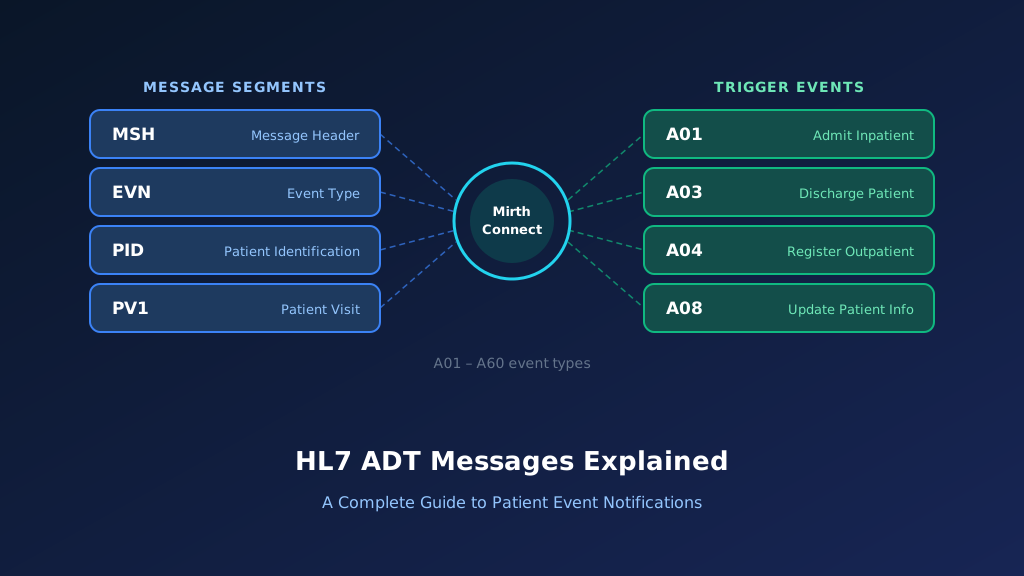
An HL7 ADT A02 message follows the delimiter-based structure defined by HL7 Version 2. Its primary segments communicate message identification, event information, patient demographics, and encounter details. MSH identifies the sending system and trigger event, EVN records event metadata, PID identifies the patient, and PV1 contains the visit and location information. The PV1 segment is particularly important because it can identify both the newly assigned location and the previous location. Additional segments may be present depending on the HL7 version and implementation profile used by participating healthcare systems.
MSH Segment: Message Identification
The MSH segment identifies the sender, receiver, timestamp, message control ID, and HL7 version. Its MSH-9 field indicates ADT^A02, allowing integration engines to recognize the transfer event and select appropriate processing rules.
EVN Segment: Transfer Event Information
The EVN segment contains event metadata, including the recorded event time. Receiving applications use this information for auditing, event sequencing, and investigating transfer notifications that arrive after subsequent encounter updates.
PID Segment: Patient Identification
The PID segment identifies the patient through demographic and identifier fields. Accurate PID-3 values and assigning authorities help receiving systems associate the transfer with the correct patient record.
PV1 Segment: Visit and Location Details
PV1 contains encounter information, including patient class, assigned location, prior location, and visit number. These fields help receiving systems update an existing encounter instead of creating another patient admission.
Optional Segments and Vendor Extensions
Some interfaces include additional segments for supplementary visit information, providers, or custom workflow requirements. Developers should follow the receiving application's implementation guide rather than assuming every optional field is supported.
HL7 ADT A02 Message Example With Field Explanation
A sample HL7 ADT A02 message shows how a patient transfer is represented in a healthcare interface. The message uses pipe delimiters to separate fields and carets to separate components. In a typical transfer, PV1-3 identifies the patient's newly assigned location, while PV1-6 can identify the prior assigned location. The example below uses fictional patient information and HL7 v2.5 conventions. It demonstrates the essential transfer data without including every optional segment. Actual production messages must follow the applicable HL7 version and vendor-specific implementation requirements.
MSH|^~\&|ADT_SYSTEM|HOSPITAL|EHR|MAIN|20261012120000||ADT^A02^ADT_A02|MSG20001|P|2.5
EVN|A02|20261012115500
PID|1||P123456^^^HOSPITAL^MR||DOE^JANE||19850415|F
PV1|1|I|WARD2^310^A|||WARD1^205^B|1234^SMITH^JOHN||||||||||||V10001
Explore each segment and its key fields:
Illustrative ADT^A02 — HL7 v2.5 (fictional data)
Select a segment to see what it carries
MSH — Message Header
RequiredThe message header identifies ADT_SYSTEM as the sending application and EHR as the destination. ADT^A02^ADT_A02 identifies the transfer notification, while MSG20001 provides a unique control identifier for acknowledgment correlation.
| Field | Meaning | Value in this message |
|---|---|---|
| MSH-3 | Sending application | ADT_SYSTEM |
| MSH-5 | Receiving application | EHR |
| MSH-7 | Message creation time | 20261012120000 |
| MSH-9 | Message type | ADT^A02^ADT_A02 |
| MSH-10 | Message control ID | MSG20001 |
| MSH-12 | HL7 version | 2.5 |
Understanding the MSH Segment
The message header identifies ADT_SYSTEM as the sending application and EHR as the destination. ADT^A02^ADT_A02 identifies the transfer notification, while MSG20001 provides a unique control identifier for acknowledgment correlation.
Understanding the EVN Segment
The EVN segment identifies the transfer event and its recorded timestamp. Integration teams can use this information to investigate delayed messages and reconcile transfer sequences across connected applications.
Understanding the PID Segment
The PID segment identifies fictional patient Jane Doe using identifier P123456. Receiving systems should evaluate the identifier and assigning authority to match the transfer to the correct patient record.
Understanding PV1-3: Assigned Patient Location
PV1-3 identifies the patient's new location as WARD2, room 310, bed A. Receiving applications can use this information to update bed assignments and location-dependent clinical workflows.
Understanding PV1-6: Prior Patient Location
PV1-6 identifies the previous location as WARD1, room 205, bed B. This information supports transfer auditing, location reconciliation, and downstream applications that need to identify the patient's previous assignment.
Important HL7 A02 Fields and Their Meanings
Successful HL7 A02 processing depends on accurate patient identification, encounter matching, and location mapping. Receiving applications must determine which existing visit should be updated and how the source location values correspond to destination facility structures. The PV1 segment contains several fields used for these operations, but individual implementations may require additional identifiers or custom validation. Before development, interface teams should document source values, destination mappings, allowed patient classes, and transfer sequencing requirements. Clear specifications help prevent location mismatches, incorrect bed assignments, and unintended changes to unrelated encounters.
| HL7 Field | Description | Purpose |
|---|---|---|
| MSH-9 | Message Type | Identifies ADT A02 |
| MSH-10 | Message Control ID | Message tracking |
| EVN-2 | Recorded Date/Time | Event timestamp |
| PID-3 | Patient Identifier List | Patient matching |
| PV1-2 | Patient Class | Encounter classification |
| PV1-3 | Assigned Patient Location | New location |
| PV1-6 | Prior Patient Location | Previous location |
| PV1-7 | Attending Doctor | Provider information |
| PV1-19 | Visit Number | Encounter matching |
MSH-9: Message Type
MSH-9 identifies the ADT A02 trigger event. Interface engines inspect this field to distinguish transfers from admissions, discharges, and registration updates before applying event-specific validation and routing rules.
PID-3: Patient Identifier List
PID-3 contains patient identifiers and assigning authorities. Integration applications should match the complete identifier context to avoid associating transfer events with another patient who has a similar identifier.
PV1-3: Assigned Patient Location
PV1-3 describes the patient's destination location. Integration teams should map unit, room, bed, and facility components according to the receiving application's location hierarchy and accepted code values.
PV1-6: Prior Patient Location
PV1-6 can identify the patient's previous location. This field supports transfer reconciliation and operational reporting, although receiving systems may apply different rules when prior location information is absent.
PV1-19: Visit Number
PV1-19 identifies the existing encounter. Matching the correct visit is essential because a patient may have multiple historical admissions, and transfer notifications must not create or modify unrelated encounters.
How HL7 ADT A02 Messages Work in Healthcare Integration
An HL7 ADT A02 workflow begins when a hospital records a patient transfer. The source system generates a notification containing patient identifiers, encounter information, and updated location details. An integration engine receives the message, validates its structure, applies required transformations, and routes it to connected applications. Receiving systems identify the existing encounter and update its location information. Reliable processing requires acknowledgment handling, duplicate detection, and controls for messages arriving out of sequence. These safeguards are especially important in hospitals where patients move frequently between departments and clinical units.
Transfer Event Generation
A hospital registration or bed management system generates an A02 notification when a transfer is recorded. The message reflects the new assigned location and other encounter details required by connected applications.
Message Validation and Routing
The integration engine validates message structure, identifiers, and event type before delivery. Routing rules determine which receiving applications need the transfer information and whether location codes require transformation.
Updating Existing Encounter Records
Receiving applications identify the patient's current encounter and update its assigned location. They should avoid creating another admission because an A02 event represents a transfer within an existing visit.
Acknowledgment and Error Recovery
The receiving system returns an acknowledgment according to the configured HL7 acknowledgment mode. Failed processing requires traceable exception handling, appropriate retries, and safeguards against duplicate transfer updates.
Managing Out-of-Sequence Transfers
Transfer messages may arrive after later events because of network delays or retries. Applications should use agreed sequencing and reconciliation rules to prevent older location information from overwriting newer assignments.
How to Implement HL7 ADT A02 Messages Using Mirth Connect
Mirth Connect can process HL7 ADT A02 notifications through configurable source connectors, filters, transformers, and destination connectors. Integration teams commonly receive transfer messages through MLLP, inspect the event type, extract patient and visit identifiers, and map location fields into destination-specific formats. The channel must preserve encounter context and handle failed delivery without producing duplicate updates. Organizations integrating multiple hospital applications can use Mirth Connect development services to address complex mapping requirements, destination connectivity, and operational monitoring.
Configure an HL7 Source Connector
Create a channel with an MLLP listener or another connector supported by the sending application. Configure the HL7 version, network endpoint, security controls, and expected message format.
Filter for ADT A02 Messages
Configure a filter that examines MSH-9 and accepts the A02 trigger event. This prevents unrelated ADT messages from entering transfer-specific processing workflows and receiving inappropriate location transformations.
Map Current and Prior Locations
Use channel transformers to extract PV1-3 and PV1-6. Apply location mapping rules so unit, room, bed, and facility identifiers match the receiving application's accepted values.
Preserve Patient and Encounter Identifiers
Maintain PID-3 and PV1-19 information throughout processing. If identifiers require transformation, document assigning authorities and destination mapping rules to prevent transfer notifications from updating the wrong encounter.
Test and Monitor Transfer Processing
Test valid transfers, missing locations, duplicate messages, and out-of-sequence events. Monitor delivery failures and acknowledgment responses so support teams can identify transfer synchronization problems before they affect operations.
Common HL7 ADT A02 Integration Errors and Troubleshooting
Patient transfer integrations can fail when location identifiers are inconsistent, encounter numbers are missing, or receiving applications interpret transfer events incorrectly. Problems may also arise from delayed messages, unsupported patient classes, and incomplete mapping specifications. These failures can leave connected systems displaying different patient locations or cause updates to the wrong encounter. Troubleshooting should begin with the original HL7 payload, destination response, and interface configuration. Our HL7 integration guide explains additional considerations for reliable healthcare message exchange.
Incorrect Destination Location Mapping
Source and destination systems may use different identifiers for nursing units, rooms, and beds. Maintain a controlled location mapping table and validate destination values before processing transfer updates.
Missing Visit Number
A missing or incorrect PV1-19 value can prevent reliable encounter matching. Establish agreed fallback rules or route the message for investigation rather than creating an unrelated encounter.
Duplicate Transfer Notifications
Retries can cause the same transfer notification to arrive multiple times. Use idempotent processing and appropriate message identifiers to prevent repeated updates or unnecessary downstream workflow execution.
Out-of-Sequence Transfer Events
Delayed messages may contain older location information. Compare event context and apply agreed sequencing rules so earlier transfers do not overwrite the patient's most recent confirmed assignment.
Acknowledgment and Delivery Failures
Network interruptions and destination errors can interrupt transfer delivery. Review acknowledgment responses, transport logs, and retry configuration to determine whether the message requires correction, retransmission, or manual reconciliation.
HL7 ADT A02 vs A01, A03, A04, and A08
HL7 ADT messages describe different patient administration events. An A02 notification communicates a transfer within an existing encounter, while A01 indicates admission and A03 represents discharge or visit completion. A04 is commonly used for patient registration, and A08 communicates information updates. Although these events share patient and visit segments, they must be processed according to their distinct meanings. Confusing an A02 transfer with an admission or registration event can create duplicate encounters or incorrect patient locations. Event-specific processing rules are therefore essential for reliable interoperability.
| Event | Meaning | Primary Action |
|---|---|---|
| A01 | Admit/Visit Notification | Create admitted encounter |
| A02 | Transfer a Patient | Update assigned location |
| A03 | Discharge/End Visit | End visit |
| A04 | Register a Patient | Register patient |
| A08 | Update Patient Information | Update existing information |
A02 vs A01: Transfer and Admission
A01 communicates the beginning of an admitted encounter, while A02 updates the location of an existing visit. Receiving applications should distinguish these events to avoid creating duplicate admissions during transfers.
A02 vs A03: Transfer and Discharge
A02 changes the patient's assigned location, whereas A03 communicates discharge or visit completion. These events affect different encounter states and should trigger separate downstream processing workflows.
A02 vs A04: Transfer and Registration
A04 commonly registers a patient for an outpatient or emergency encounter. A02 updates the location associated with an existing encounter rather than initiating a new registration event.
A02 vs A08: Transfer and Information Updates
A08 communicates updates to patient information, while A02 specifically represents a transfer event. Using the correct trigger event helps receiving systems apply appropriate location and encounter processing rules.
Best Practices for Reliable HL7 A02 Integration
Reliable HL7 A02 integration requires consistent patient identification, accurate location mapping, and predictable processing when transfers occur rapidly. Healthcare organizations should define which application owns patient location information and how connected systems respond to delayed, duplicated, or rejected notifications. Interface specifications should also describe encounter matching, acknowledgment behavior, and operational recovery procedures. HL7 v2 messages do not automatically provide encryption or authentication, so secure transport and endpoint controls require separate implementation. These practices help hospitals maintain dependable patient tracking across independent applications.
Establish a Reliable Location Mapping Strategy
Document source and destination unit, room, bed, and facility identifiers. Maintain mapping changes through controlled procedures so newly created or renamed hospital locations do not disrupt transfer processing.
Validate Patient and Encounter Identity
Confirm that transfer notifications identify the correct patient and existing visit. Reject or investigate ambiguous identifiers rather than allowing uncertain matches to update active encounter records.
Implement Duplicate and Sequence Controls
Use message control identifiers, encounter context, and event information to detect repeated or delayed transfers. Apply processing rules that preserve the latest valid patient location information.
Protect Patient Information
Secure transport connections, restrict access to interface endpoints, and limit patient information in diagnostic logs. Apply healthcare privacy and security requirements according to the organization's operational environment.
Monitor Transfer Delivery and Processing
Track acknowledgments, processing failures, message delays, and reconciliation exceptions. Establish operational alerts so integration teams can identify synchronization issues before they affect clinical or administrative workflows.
Frequently Asked Questions About HL7 ADT A02 Messages
HL7 A02 integration involves patient transfer events, location updates, encounter matching, and message processing. Developers and healthcare IT teams often need to understand which fields identify current and previous locations, how transfers differ from admissions, and how integration engines process these notifications. The following questions address common implementation concerns using general HL7 v2 conventions. Individual healthcare applications may require additional validation rules, custom mappings, or interface-specific handling.
What does A02 mean in HL7?
A02 is the HL7 v2 trigger event for Transfer a Patient. It notifies connected applications that a patient's assigned location has changed during an existing encounter. The message typically includes patient identification, visit information, and updated location details so receiving systems can maintain consistent records without creating another admission.
What is the difference between HL7 A01 and A02?
A01 communicates an admission event, while A02 communicates a patient transfer. An A01 message generally initiates an admitted encounter, whereas an A02 message updates the location associated with an existing encounter. Receiving applications should apply different processing rules to prevent duplicate admissions and inaccurate patient location information.
Which HL7 fields identify the new and previous patient locations?
PV1-3 identifies the assigned patient location, while PV1-6 can identify the prior patient location. These fields may include unit, room, bed, and facility components. Receiving applications must interpret the values according to the agreed HL7 version and location mapping specifications.
Can Mirth Connect process HL7 A02 transfer messages?
Yes. Mirth Connect can receive, validate, transform, and route HL7 A02 notifications. Developers can configure filters for ADT^A02, extract patient and encounter identifiers, map location values, and deliver messages to receiving applications. Production channels should also include acknowledgment handling, error monitoring, and duplicate prevention.
Does an A02 message create a new patient encounter?
No. An A02 message represents a transfer within an existing encounter rather than a new admission. Receiving applications should use patient and visit identifiers to locate the correct encounter and update its assigned location. If encounter matching fails, the interface should follow documented exception handling procedures.
How do you troubleshoot a failed HL7 A02 message?
Check MSH-9 for the correct event, PID-3 for patient identity, PV1-19 for encounter identification, and PV1-3 for the destination location. Review acknowledgment responses, mapping rules, and destination errors. Also investigate duplicate or delayed transfers that may cause conflicting patient location updates.
Need Help With HL7 ADT A02 Integration?
Reliable patient transfer integration helps hospitals maintain accurate location information across EHRs, laboratory systems, pharmacy platforms, and administrative applications. Taction Software supports healthcare organizations with HL7 interface development, Mirth Connect configuration, message transformation, and troubleshooting. Our engineers can help identify inconsistent location mappings, improve encounter matching, and develop transfer processing workflows aligned with receiving system requirements. Whether an organization is building a new interface or improving existing channels, a structured integration approach reduces operational risks and supports dependable patient information exchange.
Custom HL7 Transfer Interface Development
We develop HL7 A02 interfaces based on source and destination specifications. Implementation includes message validation, location mapping, encounter matching, acknowledgment handling, and testing for reliable patient transfer information exchange.
Mirth Connect Channel Development
Our team configures Mirth Connect channels to receive, filter, transform, and route patient transfer messages. We address destination connectivity, mapping requirements, and operational error handling during implementation.
Existing Interface Troubleshooting
We investigate failed transfer messages, incorrect location updates, duplicate notifications, and encounter matching problems. Troubleshooting focuses on identifying the underlying cause and improving interface processing reliability.
Production Monitoring and Support
We help healthcare teams establish monitoring, message tracking, failure alerts, and recovery procedures. These controls support ongoing interface maintenance and improve visibility into patient transfer synchronization issues.
Need help with patient transfer integration? Explore our HL7 integration services to discuss your requirements.