
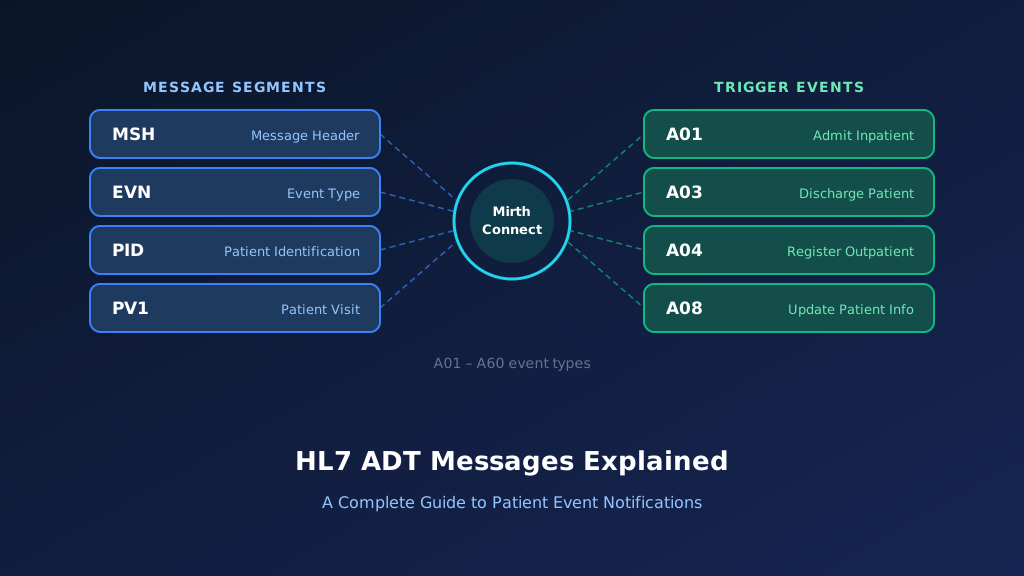
The HL7 A20message is an Admit, Discharge, Transfer (ADT) event used to communicate updates to a healthcare facility's bed status. Also known as ADT A20 or Bed Status Update, this HL7 Version 2 message allows hospital systems to exchange information about bed availability and operational status. Unlike patient admission or transfer messages, A20 focuses on a bed or location rather than a particular patient's movement. It commonly uses the NPU segment to identify the location and its status. This guide explains HL7 ADT A20 message structure, sample messages, NPU field mapping, Mirth Connect implementation, acknowledgments, and troubleshooting.
What Is an HL7 ADT A20 Message?
An HL7 ADT A20 message communicates changes to the status of a healthcare facility bed or patient location. It belongs to the HL7 v2 patient administration event family and supports operational coordination between bed management systems, hospital information systems, and connected applications. A20 may indicate that a bed is available, occupied, or otherwise unavailable, depending on the supported status codes and implementation rules. The event differs from patient-specific ADT notifications because it describes the operational state of a location. Understanding A20 alongside other HL7 ADT messages helps integration teams maintain consistent bed availability information.
Purpose of the HL7 A20 Event
A20 communicates bed status information between healthcare applications. Receiving systems can use the event to update bed management records and support operational planning across connected hospital systems.
When Is an ADT A20 Message Generated?
An A20 notification may be generated when the status of a bed changes in the source system. The triggering conditions depend on the hospital's bed management workflow.
Which Healthcare Systems Receive A20 Messages?
Bed management platforms, hospital information systems, nursing applications, and patient administration systems may receive A20 notifications. Each destination interprets location and status values according to its configuration.
How A20 Supports Bed Availability Management
A20 helps applications maintain consistent bed status information across hospital departments. It can support bed assignment workflows by communicating changes to the availability of specific locations.
Why Accurate A20 Processing Matters
Incorrect A20 processing can make an unavailable bed appear assignable or misrepresent operational capacity. Reliable interfaces require consistent location identifiers, valid status codes, and reconciliation procedures.
HL7 ADT A20 Message Structure and Segments
An HL7 ADT A20 message follows the segment-based format used by HL7 Version 2. Its core structure is simpler than many patient-focused ADT messages because the event describes a bed or location rather than an individual patient encounter. A typical A20 message contains MSH, EVN, and NPU segments. MSH identifies the message sender, receiver, event type, and version. EVN records event information, while NPU contains the bed or location and its status. The applicable HL7 version and implementation guide determine which additional segments or fields are supported.
MSH Segment: Message Header
MSH identifies the sending application, receiving application, message timestamp, control identifier, and HL7 version. MSH-9 identifies the A20 bed status update event.
EVN Segment: Event Information
EVN contains information about the event, including its recorded timestamp. Receiving applications may use this metadata for auditing and investigating delayed bed status updates.
NPU Segment: Bed Status Information
NPU is the central segment for A20 processing. It identifies the affected bed or location and communicates the status that receiving applications should interpret.
Why PID Is Not the Main Segment
A20 is primarily a location status event rather than a patient-specific movement. Its core structure does not require the usual PID/PV1 patient and encounter groups.
Optional and Vendor-Specific Information
Some implementations may extend A20 messages with additional information or local conventions. Receiving systems should follow the agreed interface specification instead of assuming every sender uses identical extensions.
HL7 ADT A20 Message Example With Field Explanation
The following HL7 ADT A20 example illustrates a fictional hospital bed status update. The sending application is a bed management system, and the receiving application is a hospital information system. The message uses HL7 v2.5 conventions and contains MSH, EVN, and NPU segments. MSH-9 identifies the event as ADT^A20, EVN-2 records the event timestamp, and NPU identifies the affected location and its status. The example demonstrates a location-based update rather than an admission, discharge, or transfer involving a particular patient.
Complete HL7 ADT A20 Sample Message
MSH|^~\&|BED_MGMT|HOSPITAL|HIS|MAIN|20261013160000||ADT^A20|MSG20001|P|2.5
EVN|A20|20261013155500
NPU|WARD3^310^B|U
In this illustrative message, the NPU segment identifies a location and status code. The exact meaning of the status must be validated against the relevant HL7 table and the sending system's implementation guide.
Explore each segment and its key fields:
Illustrative ADT^A20 — HL7 v2.5 (fictional data)
Select a segment to see what it carries
MSH — Message Header
RequiredMSH identifies BED_MGMT as the sender and HIS as the receiver. ADT^A20 identifies the bed status update event, while MSG20001 supports tracking and acknowledgment correlation.
| Field | Meaning | Value in this message |
|---|---|---|
| MSH-3 | Sending application | BED_MGMT |
| MSH-5 | Receiving application | HIS |
| MSH-7 | Message creation time | 20261013160000 |
| MSH-9 | Message type | ADT^A20 |
| MSH-10 | Message control ID | MSG20001 |
| MSH-12 | HL7 version | 2.5 |
MSH Segment Explained
MSH identifies BED_MGMT as the sender and HIS as the receiver. ADT^A20 identifies the bed status update event, while MSG20001 supports tracking and acknowledgment correlation.
EVN Segment Explained
EVN identifies A20 as the event and records its timestamp. Integration teams can use this information to investigate delays or discrepancies between source and destination bed status records.
NPU-1: Bed or Location Identifier
NPU-1 identifies the location affected by the status update. Its components may represent a nursing unit, room, bed, or other location details according to the HL7 data type.
NPU-2: Bed Status
NPU-2 contains the status value associated with the identified location. Receiving systems must interpret the code using the applicable HL7 version and implementation-specific mapping.
Understanding Location-Based Updates
An A20 message describes a bed or location status, not a patient movement. Receiving systems should not create admission, discharge, or transfer events solely from an A20 notification.
Important HL7 ADT A20 Fields and Mapping
Reliable HL7 A20 integration depends on accurate location identification and consistent interpretation of bed status values. MSH-9 identifies the event, MSH-10 supports message tracking, EVN-2 records event timing, NPU-1 identifies the affected location, and NPU-2 communicates the bed status. Receiving systems must map location components to the correct facility, unit, room, and bed. They should also distinguish operational bed availability from patient occupancy when the destination maintains those concepts separately. Clear HL7 v2 integration specifications help prevent incorrect bed availability updates.
| Field | Description | Example | Integration Purpose |
|---|---|---|---|
| MSH-3 | Sending Application | BED_MGMT | Identifies source |
| MSH-5 | Receiving Application | HIS | Identifies destination |
| MSH-9 | Message Type | ADT^A20 | Bed status event |
| MSH-10 | Message Control ID | MSG20001 | Message tracking |
| MSH-12 | Version ID | 2.5 | HL7 parsing |
| EVN-2 | Recorded Date/Time | 20261013155500 | Event timestamp |
| NPU-1 | Bed Location | WARD3^310^B | Identifies location |
| NPU-2 | Bed Status | U | Communicates status |
MSH-9: Identifying the Bed Status Event
MSH-9 identifies A20 as the trigger event. Integration engines use this value to route bed status notifications through location management workflows rather than patient movement processing.
MSH-10: Tracking the Notification
MSH-10 contains the message control identifier. Integration teams use this value for acknowledgment correlation, duplicate detection, and tracing bed status updates across connected applications.
EVN-2: Recording Event Timing
EVN-2 provides the recorded event timestamp. Receiving applications may use this information to investigate out-of-order notifications and reconcile bed status histories.
NPU-1: Mapping the Correct Bed
NPU-1 identifies the affected location. Receiving systems should validate its unit, room, bed, and facility context to avoid updating a similarly named location elsewhere.
NPU-2: Interpreting the Status
NPU-2 contains the bed status code. Integration teams should document the supported code set and how each value affects operational availability in destination applications.
How HL7 ADT A20 Messages Work in Healthcare Integration
An HL7 ADT A20 workflow begins when a hospital's bed management or patient administration system records a change to a bed's operational status. The source application generates an A20 message containing the location and its updated status. An integration engine receives the message, validates its structure, and routes it to connected applications. The destination identifies the correct bed and applies the status according to its configured rules. Reliable processing requires consistent location identifiers, valid status mapping, duplicate prevention, acknowledgment handling, and reconciliation when notifications arrive out of order.
Step 1: Bed Status Changes
A hospital application records a change to a bed's operational status. The source generates an A20 notification containing the affected location and status information.
Step 2: Validate the Message
The integration engine validates the A20 event, location identifier, and status value. Invalid messages should enter an exception workflow rather than update bed availability.
Step 3: Identify the Destination Bed
The receiving application matches the location information to its configured bed inventory. Ambiguous or unknown locations should be investigated before processing.
Step 4: Update the Bed Status
The destination applies the status change according to its operational rules. Patient occupancy and bed availability should remain distinct when the receiving application models them separately.
Step 5: Acknowledge and Monitor Processing
The receiving application returns an acknowledgment under the configured HL7 processing mode. Integration teams monitor failures, duplicates, and location status discrepancies.
How to Implement HL7 ADT A20 Messages Using Mirth Connect
Mirth Connect can receive, validate, transform, and route HL7 ADT A20 bed status messages between hospital systems. A typical integration receives an A20 notification through an MLLP listener, checks the message type, extracts the NPU location and status fields, and maps them to a destination-specific bed management model. Unlike patient movement messages, A20 processing should focus on the location's operational state. Production implementations should also handle unknown beds, unsupported status codes, duplicate messages, and delayed notifications. Mirth Connect development services can support these requirements.
Configure an HL7 Source Connector
Create a Mirth Connect channel using an MLLP listener or another supported transport. Configure the HL7 version, source data type, endpoint security, and acknowledgment behavior.
Filter ADT A20 Messages
Use a source filter to identify ADT A20 notifications. This prevents patient admission, discharge, transfer, and other unrelated events from entering the bed status processing workflow.
Mirth Connect JavaScript filter:
var messageType =
    msg['MSH']['MSH.9']['MSH.9.1'].toString();

var triggerEvent =
    msg['MSH']['MSH.9']['MSH.9.2'].toString();

return messageType === 'ADT' &&
       triggerEvent === 'A20';
Extract NPU Location and Bed Status
Use a JavaScript transformer to extract the location components from NPU-1 and the status from NPU-2. Validate required values before forwarding the notification to a destination system.
Mirth Connect JavaScript transformer:
var unit =
    msg['NPU']['NPU.1']['NPU.1.1'].toString();

var room =
    msg['NPU']['NPU.1']['NPU.1.2'].toString();

var bed =
    msg['NPU']['NPU.1']['NPU.1.3'].toString();

var facility =
    msg['NPU']['NPU.1']['NPU.1.4'].toString();

var bedStatus =
    msg['NPU']['NPU.2']['NPU.2.1'].toString();

var messageControlId =
    msg['MSH']['MSH.10']['MSH.10.1'].toString();

var eventTimestamp =
    msg['EVN']['EVN.2']['EVN.2.1'].toString();

if (!unit || !room || !bed) {
    throw new Error(
        'Missing required bed location components'
    );
}

if (!bedStatus) {
    throw new Error(
        'Missing NPU bed status'
    );
}

// Example status allowlist.
// Confirm codes against the interface profile.
var allowedStatuses = {
    'O': true,
    'U': true,
    'H': true,
    'C': true
};

if (!allowedStatuses[bedStatus]) {
    throw new Error(
        'Unsupported bed status: ' + bedStatus
    );
}

channelMap.put('unit', unit);
channelMap.put('room', room);
channelMap.put('bed', bed);
channelMap.put('facility', facility);
channelMap.put('bedStatus', bedStatus);
channelMap.put('messageControlId', messageControlId);
channelMap.put('eventTimestamp', eventTimestamp);
This example assumes the message is parsed into Mirth Connect's HL7 v2 XML representation. The status allowlist is illustrative; configure it using the actual supported codes and interface specification.
Transform A20 Data for Destination Systems
Create a destination-specific payload containing the bed identifier, source status, and message metadata. Preserve the original status code so receiving systems can apply their documented mapping rules.
Example JSON transformation:
var bedStatusUpdate = {
    eventType: 'A20',
    action: 'updateBedStatus',
    location: {
        facility: channelMap.get('facility'),
        unit: channelMap.get('unit'),
        room: channelMap.get('room'),
        bed: channelMap.get('bed')
    },
    statusCode: channelMap.get('bedStatus'),
    eventTimestamp:
        channelMap.get('eventTimestamp'),
    messageControlId:
        channelMap.get('messageControlId')
};

var jsonPayload = JSON.stringify(bedStatusUpdate);

channelMap.put('jsonPayload', jsonPayload);
This JSON structure is illustrative and is not a standardized HL7 bed management API. The destination must validate the location and map the status code to its own operational model.
Test and Monitor Bed Status Processing
Test valid updates, unknown locations, unsupported codes, duplicate notifications, and delayed events. Verify that receiving applications maintain accurate bed availability without incorrectly changing patient encounter records.
HL7 ADT A20 ACK Message Examples and Error Handling
HL7 acknowledgments allow sending applications to determine whether an A20 bed status notification was accepted or rejected under the configured acknowledgment mode. An ACK contains a response code and the original message control identifier. Common application acknowledgment codes include AA for acceptance, AE for application error, and AR for rejection. These responses support interface monitoring and troubleshooting. However, successful message acceptance does not necessarily mean that every downstream bed management application has completed its update. Integration teams should define the expected acknowledgment and processing behavior.
Successful ACK Response: AA
An AA acknowledgment indicates application-level acceptance under the configured acknowledgment mode. MSA-2 references the original A20 message control identifier.
MSH|^~\&|HIS|MAIN|BED_MGMT|HOSPITAL|20261013160001||ACK^A20^ACK|ACK20001|P|2.5
MSA|AA|MSG20001
Application Error Response: AE
An AE acknowledgment indicates an application processing error. Unknown locations, invalid status values, or unsupported mapping rules may cause the receiving application to report an error.
MSH|^~\&|HIS|MAIN|BED_MGMT|HOSPITAL|20261013160002||ACK^A20^ACK|ACK20002|P|2.5
MSA|AE|MSG20001
ERR|||204^Unknown Key Identifier^HL70357|E
Application Rejection Response: AR
An AR acknowledgment indicates rejection by the receiving application. The sending system should investigate the rejection before correcting or retransmitting the bed status notification.
MSH|^~\&|HIS|MAIN|BED_MGMT|HOSPITAL|20261013160003||ACK^A20^ACK|ACK20003|P|2.5
MSA|AR|MSG20001
Correlate ACK Responses With Original Messages
MSA-2 identifies the message being acknowledged. Integration engines use this field to match responses with A20 notifications and maintain traceability across bed status updates.
Handle Failed Acknowledgments and Retries
Distinguish temporary transport failures from permanent validation errors. Use controlled retries and duplicate detection to prevent old or repeated messages from overwriting newer bed status information.
Common HL7 ADT A20 Integration Errors and Troubleshooting
HL7 A20 integration problems commonly involve invalid location identifiers, inconsistent bed status codes, duplicate notifications, and out-of-order updates. These errors can affect bed management workflows and the accuracy of operational capacity information. A destination may also confuse bed availability with patient occupancy or apply a status update to the wrong facility because of incomplete location mapping. Troubleshooting should examine the original HL7 message, NPU fields, acknowledgment responses, and destination bed inventory. Accurate HL7 parsing and data mapping helps reduce these errors.
Unknown Bed or Location Identifier
The receiving application may not recognize the location in NPU-1. Validate facility, unit, room, and bed components against the destination's configured inventory.
Unsupported Bed Status Code
The sending application may transmit a status value that the destination does not recognize. Document the supported codes and define explicit mapping or rejection behavior.
Duplicate A20 Notifications
Repeated A20 messages may unnecessarily trigger bed status updates or alerts. Implement idempotent processing using message identifiers and the current location state.
Out-of-Order Bed Status Updates
A delayed A20 notification may overwrite a newer bed status. Use event sequencing, timestamps, and reconciliation rules appropriate to the source application's behavior.
Confusion Between Bed Status and Patient Occupancy
A destination may incorrectly treat a bed status notification as evidence that a patient moved. Keep operational bed status processing separate from patient encounter movement workflows.
HL7 ADT A20 vs A01, A02, A03, and A17
HL7 A20 differs from patient-focused ADT events because it communicates the operational status of a bed or location. A01 represents admission, A02 represents patient transfer, A03 represents discharge or end of visit, and A17 represents a coordinated swap between two patients. These events can affect bed management workflows, but they do not carry the same meaning as an explicit A20 status notification. Receiving applications should distinguish patient movement information from operational bed status to avoid inaccurate occupancy and availability records.
| HL7 Event | Meaning | Primary Purpose |
|---|---|---|
| A01 | Admit/Visit Notification | Record patient admission |
| A02 | Transfer a Patient | Record actual patient movement |
| A03 | Discharge/End Visit | Record completed discharge |
| A17 | Swap Patients | Exchange two patient locations |
| A20 | Bed Status Update | Update location status |
A20 vs A01: Bed Status and Admission
A01 communicates a patient admission, while A20 communicates a bed status update. A receiving system should not create a patient encounter solely because it receives A20.
A20 vs A02: Bed Status and Patient Transfer
A02 communicates an actual patient transfer, while A20 describes a bed's operational status. These events may affect related workflows but require separate processing rules.
A20 vs A03: Bed Availability and Discharge
A03 communicates discharge or end of visit. A20 can communicate a bed status change independently. A completed discharge does not automatically mean a bed is ready for another patient.
A20 vs A17: Location Status and Patient Swap
A17 communicates a coordinated exchange of patient locations, while A20 communicates a bed status update. Receiving systems should not interpret one event as an automatic substitute for the other.
Best Practices for Reliable HL7 A20 Integration
Reliable HL7 A20 integration requires accurate location mapping, consistent status definitions, and careful handling of event timing. Healthcare organizations should document which application owns the authoritative bed status, which codes are supported, and how receiving systems resolve conflicting updates. Interfaces should also define acknowledgment behavior, duplicate prevention, and exception processing. Because bed status affects operational planning, incorrect updates should be detected quickly. Combining validation, monitoring, and reconciliation helps healthcare organizations maintain dependable bed availability information across connected systems.
Use a Consistent Location Identifier Model
Map facility, unit, room, and bed components consistently across applications. Avoid relying on room or bed identifiers without sufficient facility context.
Define Bed Status Codes Explicitly
Document each supported NPU-2 value and its destination meaning. Do not assume every application interprets availability, occupancy, housekeeping, and closure statuses identically.
Separate Operational Status From Patient Movement
Keep A20 bed status processing distinct from patient admission, discharge, and transfer events. Avoid generating encounter changes solely from location status notifications.
Prevent Stale and Duplicate Updates
Use message identifiers, event timestamps, and source authority rules to prevent duplicate or delayed notifications from replacing newer bed status information.
Monitor and Reconcile Bed Status Records
Track rejected updates, unknown locations, unsupported codes, and source-destination discrepancies. Establish reconciliation procedures for correcting inconsistent bed availability information.
Frequently Asked Questions About HL7 ADT A20 Messages
HL7 A20 integration involves bed status notifications, location identification, and operational capacity management. Healthcare developers and IT teams often need to understand how A20 differs from patient movement messages, which segment contains bed status information, and how receiving applications should interpret location codes. The following questions address common implementation concerns using HL7 v2 conventions. Actual processing behavior depends on the sending application, receiving system, supported status codes, and agreed interface implementation guide.
What does A20 mean in HL7?
A20 is the HL7 Version 2 Bed Status Update trigger event. It communicates a change in the operational status of a bed or location. Unlike patient admission, discharge, or transfer notifications, A20 primarily concerns location status rather than an individual patient encounter.
Which HL7 segment contains bed status information?
The NPU segment contains bed status information in an A20 message. NPU-1 identifies the affected location, while NPU-2 communicates its status. Receiving applications should interpret these values according to the applicable HL7 version and interface specification.
What is the difference between HL7 A02 and A20?
A02 communicates an actual patient transfer, while A20 communicates a bed status update. A02 changes patient location information, whereas A20 updates operational information about a bed or location. These events should not be treated as interchangeable.
Does an HL7 A20 message contain a PID segment?
The core A20 structure focuses on bed status and typically uses MSH, EVN, and NPU rather than patient-specific PID/PV1 groups. Some vendor interfaces may introduce additional information, but implementations should follow their agreed message profile.
Can Mirth Connect process HL7 A20 messages?
Yes. Mirth Connect can receive, validate, transform, and route HL7 A20 notifications. Developers can extract NPU location and status fields and map them to destination bed management systems. Production interfaces should support acknowledgments, duplicate prevention, and monitoring.
Does A20 mean a bed is available for a new patient?
Not necessarily. A20 communicates a bed status value, and its operational meaning depends on the code and interface specification. A bed may require cleaning, inspection, or other preparation before becoming available for assignment.
How do you troubleshoot a failed HL7 A20 message?
Check MSH-9 for the A20 event, NPU-1 for the location identifier, and NPU-2 for the status value. Review acknowledgment responses, location mappings, supported status codes, and event sequencing. Investigate unknown beds, duplicate notifications, and stale updates.
Need Help With HL7 ADT A20 Integration?
Reliable bed status messaging helps healthcare organizations maintain consistent operational information across hospital systems. Taction Software supports HL7 interface development, Mirth Connect configuration, location mapping, and healthcare application integration. Our engineers can help organizations implement A20 message processing, validate NPU fields, map bed status codes, and establish dependable monitoring procedures. Whether you are connecting a bed management platform to a hospital information system or improving existing ADT interfaces, accurate location status integration supports better coordination across connected healthcare applications.
Custom HL7 Bed Status Interfaces
We develop HL7 A20 interfaces based on source and destination requirements. Implementation includes NPU field validation, location mapping, status transformation, routing, and acknowledgment handling.
Mirth Connect Channel Development
Our engineers configure Mirth Connect channels for bed status notifications, including message filtering, JavaScript transformations, destination connectivity, and exception handling.
Bed Management System Integration
We help organizations connect bed management applications with hospital information systems through consistent location identifiers, status mappings, and operational reconciliation workflows.
Production Monitoring and Support
We support HL7 interfaces through monitoring, failure alerts, mapping updates, and recovery procedures that help maintain dependable bed status information.
Need help with HL7 bed status integration? Explore our HL7 interface messaging services to discuss your requirements.