
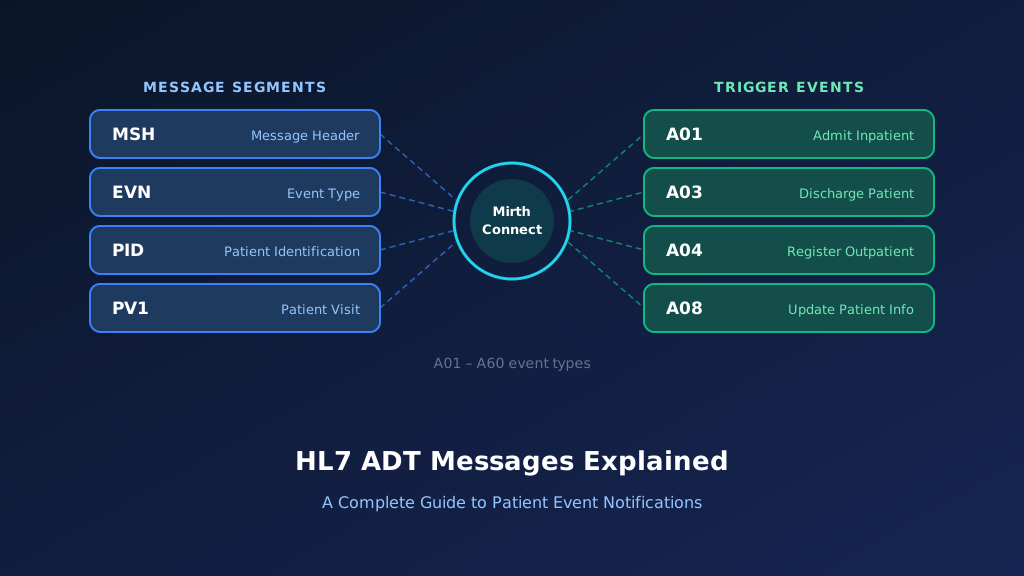
The HL7 ADT A42 message is a patient administration event used to communicate the merging of two visit numbers associated with the same patient. Officially called ADT A42: Merge Visit - Visit Number, it helps healthcare systems reconcile duplicate encounters created during registration, scheduling, or patient administration workflows. The message identifies the correct surviving visit number and the previous visit number that should be merged.
Unlike a patient identity merge, A42 focuses on visit-level information rather than combining two patient identities. This guide explains A42 message structure, important PID, PV1, and MRG fields, practical examples, Mirth Connect integration, acknowledgments, troubleshooting, and implementation best practices.
What Is an HL7 ADT A42 Message?
An HL7 ADT A42 message communicates that two visit numbers for the same patient have been merged into one surviving visit. A visit number identifies a specific encounter or administrative visit within a healthcare system. Duplicate visit numbers may arise when a patient is registered more than once for the same episode of care.
After the registration team verifies the duplicate, the source system selects the surviving visit number and generates an A42 notification. Receiving systems use the message to reconcile visit references while preserving appropriate clinical and administrative history. See the HL7 ADT messages guide for the full event family.
Purpose of the HL7 A42 Event
A42 informs connected applications that a previous visit number has been merged into a surviving visit number. It supports encounter consistency across registration, clinical, and financial systems.
When Is an ADT A42 Message Generated?
An A42 message may be generated when a hospital identifies duplicate visit records and performs an authorized encounter merge in its registration or patient administration application.
Which Healthcare Systems Receive A42 Messages?
EHRs, laboratory systems, radiology platforms, patient accounting applications, scheduling systems, and integration engines may receive A42 messages when they maintain visit-level identifiers.
How A42 Differs From Patient Identity Merging
A42 merges visit numbers associated with an existing patient. It does not instruct the receiving system to merge two different patient identities.
Why Accurate A42 Processing Matters
An incorrect visit merge can associate orders, results, charges, or documentation with the wrong encounter. The receiving system must verify the patient and both visit identifiers before applying the merge.
HL7 ADT A42 Message Structure and Segments
In HL7 Version 2.5, A42 uses the ADT_A39 message structure. The message contains MSH and EVN segments followed by a repeating patient group. Within each patient group, PID identifies the patient, PV1 provides the surviving visit number, and MRG identifies the previous visit number. PD1 is optional.
Because the structure supports repeated groups, a message may contain more than one visit merge operation. The essential mapping is PV1-19 for the surviving visit number and MRG-5 for the previous visit number.
HL7 ADT A42 Message Structure
MSH
[{SFT}]
EVN
{
    PID
    [PD1]
    MRG
    [PV1]
}
This is the relevant simplified HL7 v2.5 structure. PV1 is optional in the shared ADT_A39 structure, but an A42 message needs it in practice because PV1-19 carries the surviving visit number. The receiving application must validate the message against its implementation profile.
MSH Segment: Message Header
MSH identifies the sender, receiver, message timestamp, control identifier, and HL7 version. MSH-9 identifies the event as ADT^A42^ADT_A39.
EVN Segment: Event Information
EVN records administrative information about the visit merge, including its recorded timestamp. It supports audit tracking and event reconciliation.
PID Segment: Patient Identification
PID identifies the patient whose visit numbers are being merged. The destination must verify that both visit records belong to this patient.
PV1 Segment: Surviving Visit Information
PV1-19 identifies the correct surviving visit number. Other PV1 fields may provide visit context according to the interface agreement.
MRG Segment: Previous Visit Information
MRG-5 identifies the previous visit number being merged. It must not be confused with the surviving visit number in PV1-19.
HL7 ADT A42 Message Example With Field Explanation
Consider a hospital where a patient is accidentally registered twice for the same encounter. The correct visit number is VIS420001. The duplicate visit number is VIS420099. After confirming that both visits belong to the same patient and represent the same episode of care, the registration team performs an authorized merge. The source system generates an A42 message containing the surviving visit in PV1-19 and the previous visit in MRG-5.
HL7 ADT A42 Sample Message
MSH|^~\&|REGISTRATION|HOSPITAL|EHR|MAIN|20261022160000||ADT^A42^ADT_A39|MSG42001|P|2.5
EVN|A42|20261022160000
PID|1||MRN420001^^^HOSPITAL^MR||SMITH^JAMES||19850514|M
MRG|||||VIS420099
PV1|1|O|||||||||||||||||VIS420001
All patient information is fictional. The example demonstrates the intended field mapping. In a production interface, both visit identifiers should include their assigning authorities where supported, and the message should be validated using an HL7 parser.
Previous visit · MRG-5
VIS420099
Surviving visit · PV1-19
VIS420001
Merge the previous visit into the surviving visit.
Explore each segment and its key fields:
Illustrative ADT^A42 — HL7 v2.5 (fictional data)
Select a segment to see what it carries
MSH — Message Header
RequiredADT^A42^ADT_A39 identifies the visit merge event. The third component indicates the message structure used by A42.
| Field | Meaning | Value in this message |
|---|---|---|
| MSH-3 | Sending application | REGISTRATION |
| MSH-5 | Receiving application | EHR |
| MSH-7 | Message creation time | 20261022160000 |
| MSH-9 | Message type | ADT^A42^ADT_A39 |
| MSH-10 | Message control ID | MSG42001 |
| MSH-12 | HL7 version | 2.5 |
MSH-9: Message Type and Trigger Event
ADT^A42^ADT_A39 identifies the visit merge event. The third component indicates the message structure used by A42.
PID-3: Patient Identifier List
PID-3 identifies the patient associated with the visit merge. The receiving application should verify that both visit numbers belong to this patient.
MRG-5: Prior Visit Number
MRG-5 contains VIS420099, the previous visit number being merged into the surviving encounter.
PV1-19: Surviving Visit Number
PV1-19 contains VIS420001, the correct visit number that remains after the merge.
Why Merge Direction Matters
Reversing PV1-19 and MRG-5 could cause the wrong encounter to survive. The destination must validate source and target visit numbers before applying any change.
Important HL7 A42 Fields and Mapping
An A42 message must distinguish the visit that will remain from the visit whose identifier will be retired. The receiving system must also establish that both visits belong to the same patient and represent records eligible for merging.
The HL7 standard specifies MRG-5 as the incorrect source visit number and PV1-19 as the correct target visit number. The operation is intended to merge visit records without merging patient or account identifiers. Our HL7 parsing and data mapping team can document visit identifier mapping across every receiving system.
| HL7 Field | Description | Purpose |
|---|---|---|
| MSH-9 | Message Type | ADT^A42^ADT_A39 |
| MSH-10 | Message Control ID | Track and deduplicate messages |
| MSH-12 | Version ID | Validate HL7 version |
| EVN-2 | Recorded Date/Time | Record merge timestamp |
| PID-3 | Patient Identifier List | Identify patient |
| PID-18 | Patient Account Number | Provide account context |
| MRG-5 | Prior Visit Number | Incorrect source visit |
| PV1-19 | Visit Number | Correct target visit |
MRG-5: Incorrect Source Visit Number
MRG-5 identifies the visit whose records should be consolidated into another visit. The receiving application should preserve historical references to the source identifier.
PV1-19: Correct Target Visit Number
PV1-19 identifies the surviving visit. After the merge, subsequent transactions should generally reference this identifier rather than the previous visit number.
PID-3: Patient Identifier List
PID-3 identifies the patient associated with the merge. The receiving application should verify that both source and target visits belong to the same patient.
PID-18: Patient Account Number
PID-18 may provide account context. An A42 event does not independently authorize merging account numbers, even when both visits have financial records.
MSH-10: Message Control Identifier
MSH-10 supports acknowledgment correlation, duplicate detection, and message tracking. It should not be confused with the visit identifiers involved in the merge.
How HL7 ADT A42 Visit Merge Workflows Operate
An A42 workflow begins when an authorized registration or encounter management process identifies duplicate visits for the same patient. The source system determines which visit should survive and which visit number should be retired. After the merge is approved, the source generates an A42 notification.
An integration engine validates and routes the message to downstream applications. Each destination reconciles the affected visit references using its supported merge functionality. Orders, results, documentation, and charges may require additional validation to ensure they remain associated with the correct encounter.
Step 1: Identify Duplicate Visits
Registration staff or an encounter management application identify two visit records representing the same encounter. The duplicate relationship must be verified before initiating the merge.
Step 2: Select the Surviving Visit
The authorized workflow selects the correct target visit number. The previous source visit must be identified separately to prevent reversed merges.
Step 3: Generate the A42 Message
The source application creates an A42 notification with the previous visit in MRG-5 and the surviving visit in PV1-19.
Step 4: Validate and Route the Message
The integration engine checks message structure, patient identifiers, visit numbers, assigning authorities, and authorized sending systems before forwarding the merge.
Step 5: Reconcile Downstream Encounter Records
Receiving applications apply their supported visit merge operation, preserve audit history, and reconcile affected clinical and financial records.
How to Implement HL7 ADT A42 Using Mirth Connect
Mirth Connect can receive, validate, transform, and route A42 visit merge notifications between registration systems, EHRs, laboratory applications, radiology platforms, and patient accounting systems. Because A42 changes encounter relationships, the interface should validate patient identity, visit numbers, and merge direction before allowing downstream processing.
The implementation should also handle repeated patient groups and prevent duplicate messages from triggering conflicting operations. A42 processing should use supported destination merge interfaces rather than directly updating visit identifiers in application databases.
Configure the Mirth Connect Source Connector
Create an MLLP Listener using the HL7 v2.x inbound data type. Configure authorized senders, secure transport, acknowledgment handling, and restricted access to message content.
Filter HL7 ADT A42 Messages
var messageType =
    msg['MSH']['MSH.9']['MSH.9.1'].toString();

var triggerEvent =
    msg['MSH']['MSH.9']['MSH.9.2'].toString();

var structure =
    msg['MSH']['MSH.9']['MSH.9.3'].toString();

var version =
    msg['MSH']['MSH.12']['MSH.12.1'].toString();

return messageType === 'ADT' &&
       triggerEvent === 'A42' &&
       structure === 'ADT_A39' &&
       version === '2.5';
Extract Patient and Visit Merge Identifiers
The following example processes a single PID/MRG/PV1 group. It extracts the patient identifier, previous visit number, and surviving visit number.
function getComponent(segment, field, number) {
    if (!segment ||
        segment[field].length() === 0) {
        return '';
    }

    return segment[field][0][field + '.' + number]
        .toString().trim();
}

var msh = msg['MSH'];
var pid = msg['PID'];
var mrg = msg['MRG'];
var pv1 = msg['PV1'];

var event =
    getComponent(msh, 'MSH.9', 2);

if (event !== 'A42') {
    throw new Error('Unexpected ADT event');
}

if (pid.length() === 0 ||
    mrg.length() === 0 ||
    pv1.length() === 0) {
    throw new Error(
        'Missing patient or visit merge segments'
    );
}

var patientId =
    getComponent(pid, 'PID.3', 1);

var previousVisit =
    getComponent(mrg, 'MRG.5', 1);

var survivingVisit =
    getComponent(pv1, 'PV1.19', 1);

var controlId =
    getComponent(msh, 'MSH.10', 1);

if (!patientId ||
    !previousVisit ||
    !survivingVisit ||
    !controlId) {
    throw new Error(
        'Missing required visit merge identifiers'
    );
}

if (previousVisit === survivingVisit) {
    throw new Error(
        'Source and target visits are identical'
    );
}

var mergeEvent = {
    eventType: 'A42',

    operation: 'mergeVisit',

    patientId: patientId,

    incorrectSourceVisit:
        previousVisit,

    correctTargetVisit:
        survivingVisit,

    messageControlId:
        controlId,

    processingStatus:
        'pending_validation'
};

channelMap.put(
    'visitMergeEvent',
    JSON.stringify(mergeEvent)
);
This code illustrates a single merge group and compares only identifier values. Production processing must validate complete identifier domains and support all repeating groups defined by the selected message profile.
Transform A42 Into a Controlled Merge Request
var event = JSON.parse(
    channelMap.get('visitMergeEvent')
);

var request = {
    operation: 'validateVisitMerge',

    patientId: event.patientId,

    sourceVisitId:
        event.incorrectSourceVisit,

    targetVisitId:
        event.correctTargetVisit,

    mergeApprovalRequired: true,

    sourceMessageId:
        event.messageControlId
};

channelMap.put(
    'jsonPayload',
    JSON.stringify(request)
);
This JSON is an illustrative destination payload, not a standardized HL7 or FHIR API. It requests validation rather than directly merging records.
Validate Patient and Visit Relationships
Confirm that both visit identifiers belong to the intended patient and represent records eligible for merging. Reject or quarantine ambiguous cases.
Monitor Visit Merge Processing
Track acknowledgments, rejected merges, duplicate messages, source and target visit numbers, and downstream reconciliation results.
HL7 ADT A42 ACK Message Examples and Error Handling
HL7 acknowledgments indicate whether the receiving application accepted or rejected an A42 visit merge notification. A typical ACK contains MSH and MSA segments, with ERR providing diagnostic information when an error occurs. In original acknowledgment mode, AA indicates application acceptance, AE indicates an application error, and AR indicates rejection.
For visit merges, an accepted message does not necessarily prove that all downstream orders, results, documentation, and financial references have been reconciled.
Successful A42 ACK: AA
MSH|^~\&|EHR|MAIN|REGISTRATION|HOSPITAL|20261022160001||ACK^A42^ACK|ACK42001|P|2.5
MSA|AA|MSG42001
Application Error ACK: AE
MSH|^~\&|EHR|MAIN|REGISTRATION|HOSPITAL|20261022160002||ACK^A42^ACK|ACK42002|P|2.5
MSA|AE|MSG42001
ERR|||204^Unknown Key Identifier^HL70357|E
Application Rejection ACK: AR
MSH|^~\&|EHR|MAIN|REGISTRATION|HOSPITAL|20261022160003||ACK^A42^ACK|ACK42003|P|2.5
MSA|AR|MSG42001
Correlate ACKs With Original Messages
MSA-2 should reference the original A42 message's MSH-10 identifier. Maintain a separate record of the downstream merge outcome.
Handle Duplicate and Failed Messages
Before retrying an A42 message, determine whether the destination already completed the merge. Repeated notifications must not create inconsistent encounter relationships.
Common HL7 ADT A42 Integration Errors and Troubleshooting
A42 integration errors commonly occur when the receiving system cannot identify the source or target visit or when the visit merge conflicts with existing encounter records. Incorrect field mapping is another major risk. MRG-5 must identify the previous visit, while PV1-19 identifies the surviving visit.
Some interfaces also fail to handle repeated patient groups or attempt to merge encounters belonging to different patients. Troubleshooting should focus on patient identity, visit identifier domains, event history, and the destination's supported merge workflow. Our HL7 interface messaging team can help trace merge failures across downstream systems.
Incorrect Visit Merge Direction
The previous and surviving visit numbers may be reversed. Confirm that MRG-5 identifies the source and PV1-19 identifies the target before processing.
Missing MRG-5 or PV1-19
Without both visit numbers, the destination cannot reliably determine the intended merge. Reject or quarantine incomplete messages.
Source and Target Visits Belong to Different Patients
A42 is intended to merge visits without merging patient identities. Verify patient ownership before applying the operation.
Orders or Results Remain Associated With the Previous Visit
Some downstream applications may not automatically reconcile all related records. Monitor orders, laboratory results, imaging studies, documentation, and charges after the merge.
Duplicate or Partially Completed Merge Events
An A42 retry may arrive after one destination has already processed the merge. Implement idempotency and reconcile actual application state before repeating the operation.
HL7 ADT A42 vs A40, A41, A45, and A50
HL7 provides separate events for merging patient identifiers, merging account numbers, merging visit numbers, moving visits, and changing visit identifiers. A42 is specifically intended for consolidating duplicate visit records under one surviving visit number. It does not merge patient identities or account numbers.
A45 moves visit information from an incorrect account to the correct account, while A50 changes a visit number. These distinctions are important because each operation affects different administrative relationships.
| HL7 Event | Meaning | Main Purpose |
|---|---|---|
| A40 | Merge Patient - Patient Identifier List | Merge patient identities |
| A41 | Merge Account - Patient Account Number | Merge account identifiers |
| A42 | Merge Visit - Visit Number | Merge duplicate visits |
| A45 | Move Visit Information - Visit Number | Move a visit between accounts |
| A50 | Change Visit Number | Change an encounter identifier |
A42 vs A40: Visit Merge and Patient Merge
A42 consolidates visit records while preserving patient identity. A40 merges patient identifier lists and may affect a broader set of records associated with the patient.
A42 vs A41: Visit Merge and Account Merge
A42 operates at the visit identifier level. A41operates at the patient account number level. Neither event automatically authorizes the other's merge operation.
A42 vs A45: Merge and Move Visit Information
A42 combines duplicate visits associated with the same patient. A45 moves visit information from an incorrect account to the correct account, without merging any visits.
A42 vs A50: Merge and Change Visit Number
A42 consolidates two existing visit records into one surviving visit. A50 changes a visit identifier without necessarily combining two existing encounter records.
Best Practices for Reliable HL7 A42 Integration
Reliable A42 processing requires clear merge direction, verified patient ownership, and controlled reconciliation of encounter-level records. Healthcare organizations should define which systems are authorized to initiate visit merges and how downstream applications should handle the previous visit number.
Integration teams should test duplicate notifications, out-of-order messages, partially completed merges, and visits with existing orders, results, or charges. The destination should preserve historical identifiers and audit information rather than indiscriminately deleting encounter data.
Validate Patient Identity and Encounter Ownership
Confirm that the source and target visits belong to the same patient. Do not apply an A42 merge across different patient identities.
Preserve Correct Source-to-Target Mapping
Use MRG-5 for the previous visit and PV1-19 for the surviving visit. Validate assigning authorities and complete identifier values.
Reconcile Clinical and Financial Records
Verify that orders, results, imaging studies, documentation, and financial transactions remain associated with the intended encounter after the merge.
Implement Idempotency and Controlled Retries
Repeated A42 notifications should not create conflicting encounter relationships. Check destination state before retrying an uncertain operation.
Maintain Historical Visit Identifiers
Retain prior visit identifiers in the appropriate audit or cross-reference mechanism so historical transactions remain traceable.
Frequently Asked Questions About HL7 ADT A42 Messages
What does A42 mean in HL7?
A42 is an HL7 ADT event called Merge Visit - Visit Number. It communicates that two visit numbers associated with the same patient have been merged into one surviving visit number.
What is the difference between HL7 A42 and A40?
A42 merges visit records, while A40 merges patient identifier lists. A42 is intended to consolidate duplicate encounters without merging patient identities.
Which HL7 fields are important in A42?
The defining fields are MRG-5, which identifies the incorrect source visit number, and PV1-19, which identifies the correct target visit number. PID-3 identifies the patient.
What is the HL7 A42 message structure?
In HL7 Version 2.5, A42 uses the ADT_A39 message structure. It contains MSH, EVN, and repeating patient groups with PID, MRG, and optional PV1.
Can Mirth Connect process HL7 A42 messages?
Yes. Mirth Connect can receive, validate, transform, and route A42 messages. Production implementations should verify patient identity, visit ownership, identifier domains, and downstream reconciliation.
What is the difference between HL7 A42 and A50?
A42 merges two existing visit records into one surviving visit. A50 changes a visit number and does not necessarily imply that two existing visit records were consolidated.
Need Help With HL7 ADT A42 Integration?
Visit merge interfaces require reliable coordination between registration systems, EHRs, laboratory applications, radiology platforms, and patient accounting systems. Taction Software supports HL7 interface development, Mirth Connect implementation, encounter identifier reconciliation, and healthcare interoperability.
HL7 Visit Merge Interface Development
We develop A42 interfaces based on source and destination requirements, including visit identifier mapping, patient validation, and encounter reconciliation.
Mirth Connect Development and Integration
Our engineers configure Mirth Connect channels for visit merge notifications, including transformations, secure routing, acknowledgment handling, and exception monitoring.
EHR and Encounter Management Integration
We support integration between EHRs, registration platforms, laboratory systems, and patient accounting applications using approved encounter management workflows.
Production Monitoring and Troubleshooting
We help investigate missing visit identifiers, rejected merges, duplicate messages, and inconsistent downstream encounter references.
Need help with HL7 visit merge integration? Explore HL7 Integration and Taction Software's EHR integration services to discuss your requirements.