
The HL7 A23 message is an Admit, Discharge, Transfer (ADT) event used to communicate the deletion of a patient record in HL7 Version 2 interfaces. Known as ADT A23 or Delete a Patient Record, it notifies connected healthcare applications that an identified patient record should be removed or otherwise handled according to an agreed deletion workflow. Unlike an admission, transfer, or demographic update, A23 concerns the existence of a patient record itself. Because healthcare records may contain clinical, financial, and legally retained information, A23 processing requires careful controls. This guide covers message structure, examples, Mirth Connect implementation, acknowledgments, and troubleshooting.
What Is an HL7 ADT A23 Message?
An HL7 ADT A23 message communicates a request or notification to delete a patient record from a receiving application's patient database. It is part of the HL7 Version 2 patient administration event family. A23 is distinct from patient merge events, discharge events, and cancellation messages because it concerns the patient record rather than an individual encounter. However, receiving A23 does not automatically authorize irreversible deletion of medical information. Organizations must apply their retention, compliance, and data governance requirements. Understanding A23 within HL7 ADT messaging helps developers implement safe patient record lifecycle workflows.
Purpose of the HL7 A23 Event
A23 communicates that an identified patient record is subject to deletion. Receiving applications interpret the event according to their supported record management and retention procedures.
When Is an ADT A23 Message Generated?
An A23 notification may be generated when an authorized patient administration workflow determines that a record should be deleted, such as a record created in error.
Which Healthcare Systems Receive A23 Messages?
EHRs, registration systems, patient indexes, and connected healthcare applications may receive A23 notifications. Each destination must enforce its own authorization and record retention requirements.
How A23 Differs From Patient Merge Events
A23 communicates deletion of a patient record, while merge events reconcile multiple patient identities. A receiving system should never treat these operations as interchangeable.
Why Accurate A23 Processing Matters
Incorrect A23 processing can affect clinical data integrity, patient safety, billing records, and audit histories. Reliable integration requires strict validation and controlled record lifecycle management.
HL7 ADT A23 Message Structure and Segments
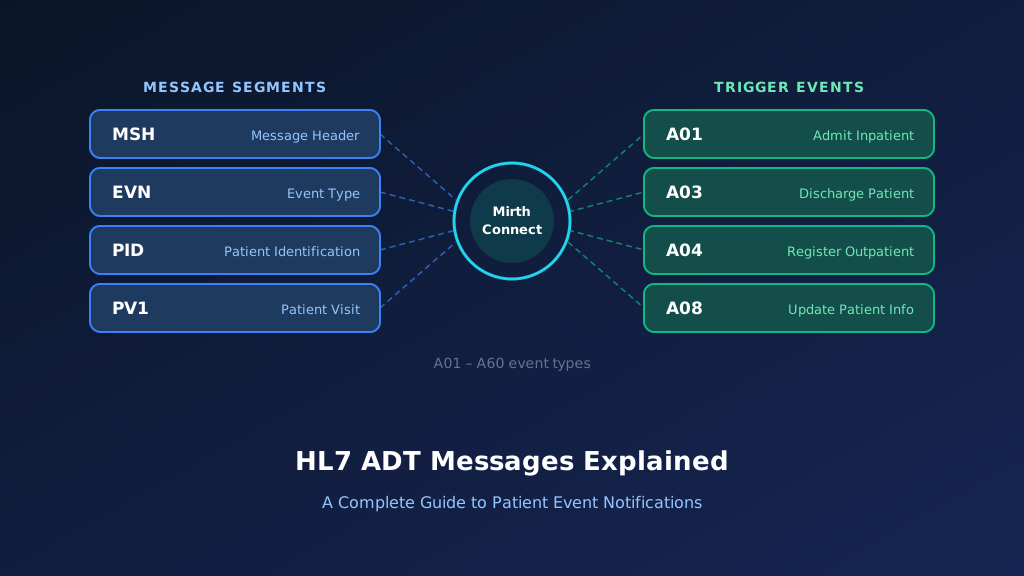
An HL7 ADT A23 message follows the segment-based format used by HL7 Version 2. The message identifies the patient record affected by the deletion event and provides the information needed for receiving applications to locate it. In HL7 v2.5, A23 uses the ADT_A21 message structure, shared by several patient administration events. A typical message includes MSH, EVN, PID, and PV1, with additional segments depending on the interface profile. MSH identifies the event and source, EVN records event information, PID identifies the patient, and PV1 may provide encounter context.
MSH Segment: Message Header
MSH identifies the sending and receiving applications, message timestamp, control identifier, and HL7 version. MSH-9 identifies A23 as the delete patient record event.
EVN Segment: Event Information
EVN contains event metadata, including the recorded timestamp. Receiving systems can use it for audit tracking and investigation of delayed deletion notifications.
PID Segment: Patient Identification
PID identifies the patient record affected by the deletion event. Receiving applications should validate the complete identifier, including its assigning authority and identifier type.
PV1 Segment: Patient Visit Information
PV1 may provide encounter information when required by the implementation profile. Its presence does not change the fact that A23 concerns the patient record itself.
Optional Segments and Local Extensions
Additional segments or local fields may communicate administrative context. Such information should be handled according to the agreed interface specification and must not bypass deletion authorization.
HL7 ADT A23 Message Example With Field Explanation
The following HL7 ADT A23 example illustrates a fictional patient record deletion notification. The message uses HL7 v2.5 conventions and contains MSH, EVN, PID, and PV1 segments. MSH-9 identifies ADT^A23^ADT_A21, PID-3 identifies the patient record, and PV1 provides visit context. The sample is intended for understanding message structure and does not represent authorization to physically erase a clinical record. Production systems should validate the patient identity, source authority, record dependencies, and retention requirements before executing any deletion-related operation.
Complete HL7 ADT A23 Sample Message
MSH|^~\&|REGISTRATION|HOSPITAL|MPI|MAIN|20261015110000||ADT^A23^ADT_A21|MSG23001|P|2.5
EVN|A23|20261015105500
PID|1||P230001^^^HOSPITAL^MR||BROWN^EMILY||19870612|F
PV1|1|O|CLINIC2^ROOM5
All patient information is fictional. The receiving application must apply its approved deletion policy rather than automatically removing the record.
Explore each segment and its key fields:
Illustrative ADT^A23 — HL7 v2.5 (fictional data)
Select a segment to see what it carries
MSH — Message Header
RequiredMSH identifies REGISTRATION as the sender and MPI as the receiving application. ADT^A23^ADT_A21 identifies the deletion event and shared message structure, while MSG23001 supports tracking.
| Field | Meaning | Value in this message |
|---|---|---|
| MSH-3 | Sending application | REGISTRATION |
| MSH-5 | Receiving application | MPI |
| MSH-7 | Message creation time | 20261015110000 |
| MSH-9 | Message type | ADT^A23^ADT_A21 |
| MSH-10 | Message control ID | MSG23001 |
| MSH-12 | HL7 version | 2.5 |
MSH Segment Explained
MSH identifies REGISTRATION as the sender and MPI as the receiving application. ADT^A23^ADT_A21 identifies the deletion event and message structure, while MSG23001 supports tracking.
EVN Segment Explained
EVN identifies A23 as the event and records the notification timestamp. Integration teams can use this information to investigate when a deletion event was generated.
PID-3: Patient Identifier Explained
PID-3 identifies fictional patient Emily Brown using identifier P230001. The assigning authority provides important context for distinguishing the record from similarly numbered patient records.
PV1 Segment Explained
PV1 provides visit context when included in the message. Receiving applications should not assume that a single visit identifier limits the scope of an A23 patient record deletion.
Understanding the Deletion Scope
A23 concerns the patient record, but the actual action depends on the receiving system's capabilities and retention requirements. Physical deletion, suppression, and archival are different operations.
Important HL7 ADT A23 Fields and Mapping
Reliable HL7 A23 integration depends on accurate patient identification and strict validation of the deletion event. Important fields include MSH-9 for the event type, MSH-10 for message tracking, EVN-2 for event timing, and PID-3 for identifying the affected patient. When PV1 is present, it may provide additional context, but patient identity remains central. Because deletion can affect information shared across multiple applications, organizations should define source authority, destination behavior, and retention rules before implementation. Clear HL7 v2 integration specifications help prevent unintended record removal.
| Field | Description | Example | Integration Purpose |
|---|---|---|---|
| MSH-3 | Sending Application | REGISTRATION | Identifies source |
| MSH-5 | Receiving Application | MPI | Identifies destination |
| MSH-9 | Message Type | ADT^A23^ADT_A21 | Delete patient event |
| MSH-10 | Message Control ID | MSG23001 | Message tracking |
| MSH-12 | Version ID | 2.5 | HL7 parsing |
| EVN-2 | Recorded Date/Time | 20261015105500 | Event timestamp |
| PID-3 | Patient Identifier List | P230001 | Identifies affected record |
| PID-5 | Patient Name | BROWN^EMILY | Demographic context |
| PV1-2 | Patient Class | O | Optional visit context |
| PV1-3 | Assigned Patient Location | CLINIC2^ROOM5 | Optional location context |
MSH-9: Identifying the Deletion Event
MSH-9 identifies A23 as the trigger event. Integration engines should route it through controlled record management processing rather than ordinary demographic updates.
PID-3: Identifying the Correct Record
PID-3 contains the patient identifier. Receiving applications should validate the identifier, assigning authority, and identifier type before performing any deletion-related operation.
MSH-10: Tracking the Notification
MSH-10 contains the message control identifier. Integration teams use it for acknowledgment correlation, duplicate detection, and auditing of deletion-related notifications.
EVN-2: Recording Event Timing
EVN-2 provides the recorded event timestamp. This information supports audit trails, event sequencing, and investigation of deletion notifications that arrive after later patient updates.
PV1 Fields: Understanding Encounter Context
PV1 may provide encounter information when supported by the message profile. Its presence should not cause the receiving application to interpret A23 as an encounter deletion event.
How HL7 ADT A23 Messages Work in Healthcare Integration
An HL7 ADT A23 workflow begins when an authorized healthcare application generates a patient record deletion notification. The source system identifies the affected patient and sends the A23 message through an integration interface. The integration engine validates the message structure, patient identifier, source authority, and required processing rules. The receiving application then evaluates the record against its deletion policy, retention obligations, and data dependencies. Depending on the approved workflow, the result may involve record suppression, archival, rejection, or another controlled action. Reliable processing requires audit trails, acknowledgments, and exception handling.
Step 1: Deletion Event Is Authorized
An approved administrative workflow determines that a patient record requires deletion-related processing. The source system generates an A23 notification identifying the affected record.
Step 2: Validate the HL7 Message
The integration engine validates the event type, message control identifier, patient identifier, and sending application. Invalid or unauthorized notifications should be rejected.
Step 3: Locate the Patient Record
The receiving application matches the patient identifier to the correct record. Ambiguous identifiers or missing assigning authorities should trigger investigation rather than automatic deletion.
Step 4: Apply Record Retention Rules
The destination evaluates legal retention requirements, clinical dependencies, and local policies. It performs only the approved record lifecycle operation supported by the system.
Step 5: Acknowledge and Audit the Outcome
The receiving application returns an acknowledgment according to its interface configuration. Audit records should document the event, validation outcome, and any authorized action.
How to Implement HL7 ADT A23 Messages Using Mirth Connect
Mirth Connect can receive, validate, transform, and route HL7 ADT A23 messages between patient administration systems and connected healthcare applications. Unlike routine demographic updates, patient deletion events require additional safeguards because they may affect clinical histories, laboratory results, billing records, and patient identity relationships. A production interface should validate the sender, confirm the patient identifier, prevent duplicate processing, and route the notification to an authorized record management workflow. It should not execute database deletion commands directly from an incoming HL7 message. Organizations can use Mirth Connect development services to implement these controls.
Configure the HL7 Source Connector
Create a Mirth Connect channel with an MLLP listener or another supported transport. Configure the expected HL7 version, secure connectivity, source authentication, acknowledgment handling, and message retention policies.
Filter HL7 ADT A23 Messages
Use a source filter to identify ADT A23 events. Keep patient record deletion notifications separate from ordinary patient updates, encounter cancellations, and merge workflows.
Mirth Connect JavaScript filter:
var messageType =
    msg['MSH']['MSH.9']['MSH.9.1'].toString();

var triggerEvent =
    msg['MSH']['MSH.9']['MSH.9.2'].toString();

return messageType === 'ADT' &&
       triggerEvent === 'A23';
This filter identifies the message type only. Authentication, source authorization, and patient identity validation must be enforced separately.
Extract Patient Identifiers and Message Metadata
Use a JavaScript transformer to extract the patient identifier, assigning authority, event timestamp, and message control identifier. These values support validation, correlation, and audit tracking.
Mirth Connect JavaScript transformer:
var patientId =
    msg['PID']['PID.3']['PID.3.1'].toString();

var assigningAuthority =
    msg['PID']['PID.3']['PID.3.4'].toString();

var identifierType =
    msg['PID']['PID.3']['PID.3.5'].toString();

var messageControlId =
    msg['MSH']['MSH.10']['MSH.10.1'].toString();

var sendingApplication =
    msg['MSH']['MSH.3']['MSH.3.1'].toString();

var sendingFacility =
    msg['MSH']['MSH.4']['MSH.4.1'].toString();

var eventTimestamp =
    msg['EVN']['EVN.2']['EVN.2.1'].toString();

if (!patientId || !assigningAuthority) {
    throw new Error(
        'Missing patient ID or assigning authority'
    );
}

if (!messageControlId || !eventTimestamp) {
    throw new Error(
        'Missing message control ID or event timestamp'
    );
}

channelMap.put('patientId', patientId);
channelMap.put('assigningAuthority', assigningAuthority);
channelMap.put('identifierType', identifierType);
channelMap.put('messageControlId', messageControlId);
channelMap.put('sendingApplication', sendingApplication);
channelMap.put('sendingFacility', sendingFacility);
channelMap.put('eventTimestamp', eventTimestamp);
This example assumes Mirth Connect has parsed the HL7 message into its XML representation. Production code should also support repeating PID-3 identifiers and complete assigning-authority components.
Transform A23 Into a Controlled Review Request
Create a destination-specific payload that records the A23 event without automatically deleting patient information. The receiving workflow should verify authorization, record dependencies, and retention requirements.
Example JSON transformation:
var deletionReview = {
    eventType: 'A23',
    action: 'reviewPatientRecordDeletion',
    processingStatus: 'pending_review',
    patient: {
        identifier: channelMap.get('patientId'),
        assigningAuthority:
            channelMap.get('assigningAuthority'),
        identifierType:
            channelMap.get('identifierType')
    },
    source: {
        application:
            channelMap.get('sendingApplication'),
        facility:
            channelMap.get('sendingFacility')
    },
    eventTimestamp:
        channelMap.get('eventTimestamp'),
    messageControlId:
        channelMap.get('messageControlId')
};

channelMap.put(
    'jsonPayload',
    JSON.stringify(deletionReview)
);
The JSON structure is illustrative and not a standardized HL7 API. The destination should enforce authorization and retention controls before making any record lifecycle changes.
Test Deletion Validation and Exception Handling
Test authorized events, unauthorized senders, unknown patients, ambiguous identifiers, duplicate messages, and retention conflicts. Verify that failures cannot cause unintended patient record removal.
HL7 ADT A23 ACK Message Examples and Error Handling
HL7 acknowledgments communicate whether a receiving application accepted or rejected an A23 notification under the configured acknowledgment mode. Common original-mode application acknowledgment codes include AA for acceptance, AE for application error, and AR for rejection. For patient record deletion workflows, an AA response should not automatically be interpreted as confirmation that patient information has been permanently erased. It may indicate only that the notification was accepted for processing. The interface agreement should explicitly define when acknowledgments are generated and how final deletion-related outcomes are communicated.
Successful ACK Response: AA
An AA acknowledgment indicates application-level acceptance under the configured processing mode. The destination may still require additional authorization or review before completing a record lifecycle operation.
MSH|^~\&|MPI|MAIN|REGISTRATION|HOSPITAL|20261015110001||ACK^A23^ACK|ACK23001|P|2.5
MSA|AA|MSG23001
Application Error Response: AE
An AE response indicates an application processing error. An unknown patient identifier or inability to locate the referenced record may prevent successful processing.
MSH|^~\&|MPI|MAIN|REGISTRATION|HOSPITAL|20261015110002||ACK^A23^ACK|ACK23002|P|2.5
MSA|AE|MSG23001
ERR|||204^Unknown Key Identifier^HL70357|E
Application Rejection Response: AR
An AR acknowledgment indicates rejection by the receiving application. Unsupported event types, unauthorized processing requests, or other policy violations may result in rejection.
MSH|^~\&|MPI|MAIN|REGISTRATION|HOSPITAL|20261015110003||ACK^A23^ACK|ACK23003|P|2.5
MSA|AR|MSG23001
Correlate Acknowledgments With Deletion Notifications
MSA-2 identifies the original message control identifier. Integration teams should correlate acknowledgments with the incoming A23 event and any subsequent authorized record management outcome.
Handle Rejected and Duplicate Deletion Requests
Avoid repeatedly executing destructive operations when messages are retransmitted. Use duplicate detection, controlled retries, and a documented exception workflow to protect patient data integrity.
Common HL7 ADT A23 Integration Errors and Troubleshooting
HL7 A23 integration problems often involve incorrect patient identifiers, unsupported deletion operations, missing authorization, and inconsistent retention policies. A receiving application may recognize the message but refuse to remove the patient record because clinical encounters, orders, results, or financial transactions remain associated with it. Other failures arise when the sending system uses an identifier from a different assigning authority or when a destination mistakes deletion for a merge. Troubleshooting should examine the original HL7 message, source authorization, patient identity mappings, acknowledgment responses, and record dependencies. Careful HL7 parsing and data mapping helps reduce these errors.
Patient Identifier Cannot Be Matched
The destination may not recognize PID-3 or its assigning authority. Validate the complete identifier before attempting any record lifecycle operation, especially when multiple patient identifier domains exist.
Record Has Clinical or Financial Dependencies
A patient record may be linked to encounters, results, prescriptions, or billing transactions. The destination should apply its retention and dependency rules rather than removing associated information automatically.
Unauthorized Deletion Notification
The sending application may not be authorized to initiate patient record deletion. Validate the authenticated source and permitted workflow before accepting the request for processing.
Duplicate A23 Messages
Repeated A23 notifications may arrive after an earlier message was accepted. Use idempotent processing and audit tracking to prevent repeated or conflicting record management operations.
Deletion Event Confused With Patient Merge
A23 does not represent a patient identity merge. If duplicate records require reconciliation, use the appropriate supported merge event rather than deleting one patient record indiscriminately.
HL7 ADT A23 vs A08, A11, A13, A18, and A40
HL7 patient administration events support different changes to patient and encounter records. A23 communicates deletion of a patient record, while A08 communicates updated patient information. A11 cancels an admission, A13 cancels a discharge, and merge events reconcile patient identities. These operations must remain distinct because their effects on patient records, encounter histories, and downstream applications differ. Selecting the wrong event may cause receiving systems to remove information, retain incorrect identities, or reverse the wrong administrative action. The applicable HL7 version and interface guide determine supported events.
| HL7 Event | Meaning | Primary Purpose |
|---|---|---|
| A08 | Update Patient Information | Update existing patient details |
| A11 | Cancel Admit/Visit Notification | Reverse an admission event |
| A13 | Cancel Discharge/End Visit | Reverse a discharge event |
| A18 | Merge Patient Information | Legacy patient merge event |
| A23 | Delete a Patient Record | Notify systems of patient record deletion |
| A40 | Merge Patient, Patient Identifier List | Reconcile patient identifiers |
A23 vs A08: Deletion and Update
A08 communicates changes to an existing patient record, while A23 communicates a deletion event. Routine demographic corrections should not trigger patient record deletion.
A23 vs A11: Patient Deletion and Admission Cancellation
A11 reverses an admission event, while A23 concerns the patient record itself. Canceling an incorrect admission does not necessarily require deleting the patient's identity.
A23 vs A13: Deletion and Discharge Cancellation
A13 cancels a previously recorded discharge. A23 communicates deletion of a patient record. These events address different administrative actions and require separate processing rules.
A23 vs A18: Deletion and Legacy Merge
A18 historically communicates a patient information merge. A23 concerns deletion. Merge workflows should preserve appropriate identity relationships rather than being replaced by uncontrolled deletion.
A23 vs A40: Deletion and Patient Identifier Merge
A40 communicates the merging of patient identifiers. It is not equivalent to deleting a patient record, even when one identifier becomes obsolete after reconciliation.
Best Practices for Reliable HL7 A23 Integration
Reliable HL7 A23 integration requires stronger safeguards than ordinary patient demographic messaging. Healthcare organizations should document which applications can generate deletion notifications, how destinations validate patient identity, and what record lifecycle actions are permitted. Interfaces should account for medical record retention requirements, clinical dependencies, audit obligations, and patient safety. A23 should never become an unrestricted instruction to delete database rows. Instead, receiving systems should use authorized workflows with clear outcomes and recovery procedures. These practices help prevent accidental loss of clinical information.
Require Authorized Sources and Workflows
Accept A23 notifications only from approved applications and authenticated connections. Apply destination-side authorization checks before initiating any deletion-related operation.
Validate Complete Patient Identifiers
Use patient identifiers, assigning authorities, and identifier types to locate the intended record. Reject ambiguous matches instead of relying solely on names or demographic similarities.
Respect Medical Record Retention Requirements
Review applicable legal, contractual, and organizational retention obligations before removing patient information. Some records must remain available even when a registration entry was created incorrectly.
Preserve Auditability and Recovery Options
Record the source, message identifier, validation result, and authorized outcome. Maintain recovery procedures appropriate to the destination system and applicable record management policies.
Prevent Uncontrolled Cascading Deletions
Do not allow an A23 message to automatically erase linked encounters, orders, results, or financial records. Evaluate dependencies through an approved patient data governance workflow.
Frequently Asked Questions About HL7 ADT A23 Messages
HL7 A23 integration raises important questions about patient record deletion, data retention, and interface safety. Healthcare developers often need to distinguish deletion events from demographic updates, admission cancellations, and patient merges. They must also determine how receiving applications should handle clinical dependencies and whether an acknowledgment confirms actual deletion. The following questions address common technical concerns using HL7 Version 2 conventions. Actual processing requirements depend on the healthcare organization's policies, applicable regulations, and the destination application's implementation guide.
What does A23 mean in HL7?
A23 is the HL7 Version 2 Delete a Patient Record trigger event. It communicates that an identified patient record is subject to deletion processing. The actual operation depends on the receiving application's capabilities, authorization rules, and applicable retention requirements.
Does an HL7 A23 message permanently delete patient data?
Not necessarily. A23 communicates a patient record deletion event, but the receiving application determines whether deletion, suppression, archival, or rejection is appropriate. Healthcare organizations must comply with applicable retention obligations and protect clinical information from unauthorized removal.
Which HL7 segment identifies the patient in A23?
The PID segment identifies the patient. PID-3 contains patient identifiers and associated identifier-domain information. Receiving applications should validate the complete identifier before processing a deletion notification.
What is the difference between HL7 A23 and A40?
A23 communicates deletion of a patient record, while A40 communicates a patient identifier merge. A40 reconciles identifiers representing the same patient, whereas A23 concerns record deletion. The events should not be used interchangeably.
Can Mirth Connect process HL7 A23 messages?
Yes. Mirth Connect can receive, validate, transform, and route A23 notifications. A safe implementation should verify the source and patient identifier and send the event to an authorized record management workflow rather than directly deleting database records.
What does an AA acknowledgment mean for an A23 message?
An AA acknowledgment indicates application-level acceptance under the configured acknowledgment mode. It does not necessarily confirm that patient data has been physically deleted. The interface agreement should define when acceptance is reported and how final processing outcomes are communicated.
How do you troubleshoot a failed HL7 A23 message?
Check MSH-9 for the A23 event, PID-3 for the patient identifier, and MSH-10 for message tracking. Review source authorization, acknowledgment responses, patient record dependencies, and retention rules. Investigate ambiguous identifiers, unsupported operations, and duplicate notifications.
Need Help With HL7 ADT A23 Integration?
Patient record deletion messaging requires careful implementation because it can affect clinical histories, patient identities, and legally retained healthcare information. Taction Software supports HL7 interface development, Mirth Connect configuration, patient identity mapping, and healthcare application integration. Our engineers can help organizations implement A23 validation, source authorization, exception handling, and controlled record lifecycle workflows. Whether you are maintaining a legacy patient administration interface or modernizing patient record management, secure and auditable integration helps protect data integrity across connected healthcare systems.
Custom HL7 Patient Record Management Interfaces
We develop HL7 A23 interfaces based on source and destination requirements, including patient identifier validation, message routing, acknowledgment handling, and controlled record management workflows.
Mirth Connect Channel Development
Our engineers configure Mirth Connect channels for patient administration notifications, including JavaScript filters, transformations, secure connectivity, and exception handling.
Patient Identity and Data Governance Integration
We help organizations connect patient administration workflows with identity management, data retention, and clinical record governance requirements.
Production Monitoring and Support
We support HL7 interfaces through monitoring, failure alerts, mapping updates, and reconciliation procedures that help maintain dependable patient administration messaging.
Need help with HL7 patient record integration? Explore our HL7 interface messaging services to discuss your requirements.