
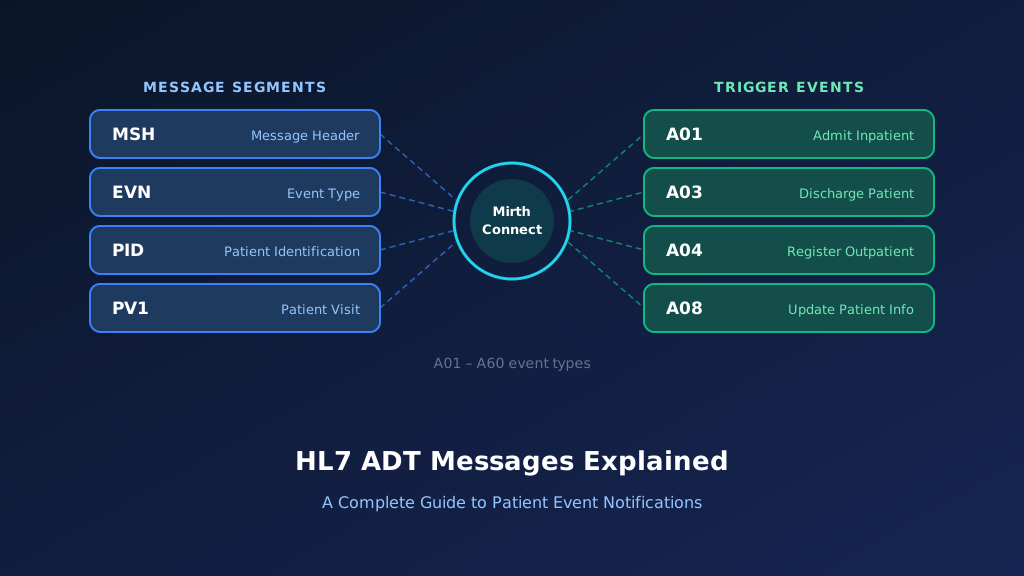
The HL7 A19 message is a patient query event used to retrieve patient demographic and visit information from a healthcare system. In traditional HL7 Version 2 query workflows, a requesting application sends a QRY^A19 message and receives an ADR^A19 response containing available patient information. These messages help hospital information systems, EHRs, registration applications, and connected platforms exchange patient details on demand rather than waiting for unsolicited ADT notifications. The A19 workflow differs from admission, discharge, and transfer events because it is request-driven. This guide explains HL7 A19 structure, QRY and ADR examples, patient identifier mapping, Mirth Connect implementation, acknowledgments, and troubleshooting.
What Is an HL7 ADT A19 Message?
HL7 A19 is the trigger event historically associated with patient query workflows in HL7 Version 2. A requesting application sends a QRY^A19 message to ask another system for patient information. The receiving application processes the query and may return an ADR^A19 response containing demographic and visit details. Unlike ordinary ADT notifications, this workflow is initiated by a request for information rather than a patient administration event. A19 is particularly relevant to legacy HL7 interfaces, while newer implementations may use other query mechanisms. Understanding A19 alongside HL7 ADT messages helps developers distinguish event notifications from query responses.
Purpose of the HL7 A19 Event
A19 supports request-driven retrieval of patient information. It allows an authorized application to query another healthcare system for patient details using identifiers or supported selection criteria.
When Is an A19 Patient Query Generated?
An A19 query may be generated when an application needs current patient information that is not available locally. The request is sent according to the connected system's supported query interface.
Which Healthcare Systems Use A19 Queries?
Hospital information systems, registration platforms, EHRs, and other authorized applications may use A19 queries. Support depends on the vendor, HL7 version, and interface configuration.
How A19 Differs From Unsolicited ADT Events
Most ADT events notify destinations that something has happened to a patient record. A19 instead requests patient information and expects a query response.
Why Accurate A19 Processing Matters
Incorrect query matching can return the wrong patient information or expose unnecessary data. Reliable interfaces require identifier validation, access controls, and appropriate handling of missing or ambiguous results.
HL7 A19 Message Structure: QRY Request and ADR Response
An HL7 A19 workflow involves a query message and a corresponding response. In traditional implementations, QRY^A19 represents the request and ADR^A19 represents the patient information response. The query commonly includes MSH, QRD, and optionally QRF segments. The response contains message and query information together with patient and visit segments when matching information is available. Segment requirements and response structures vary by HL7 version and implementation profile. Developers should validate the message types, supported query fields, and response cardinality against the destination's interface specification rather than assuming every A19 interface uses identical formatting.
MSH Segment: Message Header
MSH identifies the sending and receiving applications, message type, control identifier, and HL7 version. QRY^A19 identifies a request, while ADR^A19 identifies the associated response.
QRD Segment: Query Definition
QRD contains query-related information, including the query identifier, priority, requested response quantity, and subject filters. Its field values determine how the receiving application interprets the request.
QRF Segment: Query Filter
QRF may provide additional filtering information, such as the originating department or other supported restrictions. Its use depends on the interface implementation guide.
PID Segment: Patient Identification
PID appears in a successful patient information response when the interface returns patient details. It contains identifiers and demographic information associated with the matching record.
PV1 Segment: Patient Visit Information
PV1 may appear in an ADR response to provide visit context, including patient class, assigned location, and encounter identifiers. Its presence depends on the returned data and message profile.
HL7 A19 Query Request Example
The following example illustrates a fictional QRY^A19 patient query sent by a registration application to a hospital information system. The request includes an MSH segment and a QRD segment containing query metadata and a patient identifier. The identifier P190001 represents a fictional patient. This example uses an HL7 v2.3-style message because traditional QRY/ADR query workflows are commonly encountered in older interfaces. Modern systems may require different query message types or vendor-specific profiles. Developers should confirm the expected query format before using this example in production.
Complete QRY A19 Sample Message
MSH|^~\&|REG_APP|CLINIC|HIS|HOSPITAL|20261013150000||QRY^A19|QRY19001|P|2.3
QRD|20261013150000|R|I|QUERY19001|||1^RD|P190001|DEM
All patient information is fictional. The example requests patient information associated with identifier P190001.
Explore each segment of the query:
Illustrative QRY^A19 request — HL7 v2.3 (fictional data)
Select a segment to see what it carries
MSH — Message Header (request)
RequiredMSH identifies REG_APP as the requester and HIS as the responder. QRY^A19 marks this as a patient query request, and QRY19001 is the control ID the response must reference.
| Field | Meaning | Value in this message |
|---|---|---|
| MSH-3 | Sending application | REG_APP |
| MSH-5 | Receiving application | HIS |
| MSH-7 | Message creation time | 20261013150000 |
| MSH-9 | Message type | QRY^A19 |
| MSH-10 | Message control ID | QRY19001 |
| MSH-12 | HL7 version | 2.3 |
MSH-9: Query Message Type
MSH-9 identifies QRY^A19 as the request message. The receiving application uses this value to route the message through its supported patient query workflow.
QRD-1: Query Date and Time
QRD-1 records when the query was generated. This information helps with request tracking and investigation of delayed or repeated patient information requests.
QRD-4: Query Identifier
QRD-4 contains the query identifier QUERY19001. This value helps associate the request with its corresponding response and supports troubleshooting across integration systems.
QRD-7: Quantity-Limited Request
QRD-7 contains the requested response quantity. Its components specify the quantity and units according to the HL7 version and interface specification.
QRD-8: Patient Identifier Filter
QRD-8 identifies the subject of the query. The receiving system uses this value, together with its configured matching rules, to locate the requested patient information.
HL7 ADR A19 Response Example With Field Explanation
An ADR^A19 response returns patient information associated with a previously submitted A19 query. The response may include acknowledgment and query correlation details, patient demographics, and visit information. A typical response can contain MSH, MSA, QRD, and patient-related segments, depending on the HL7 version and implementation profile. The following example illustrates a successful response for fictional patient Olivia Parker. The PID segment contains patient identification details, while PV1 provides encounter information. Production interfaces should use the exact response structure required by the receiving application.
Complete ADR A19 Sample Response
MSH|^~\&|HIS|HOSPITAL|REG_APP|CLINIC|20261013150001||ADR^A19|ADR19001|P|2.3
MSA|AA|QRY19001
QRD|20261013150000|R|I|QUERY19001|||1^RD|P190001|DEM
PID|1||P190001^^^HOSPITAL^MR||PARKER^OLIVIA||19900214|F
PV1|1|O|CLINIC1^ROOM2
The sample illustrates a patient query response rather than an admission or transfer notification. Production systems may include additional response segments and visit identifiers.
Explore each segment of the response:
Illustrative ADR^A19 response — HL7 v2.3 (fictional data)
Select a segment to see what it carries
MSH — Message Header (response)
RequiredMSH identifies HIS as the responder and ADR^A19 as the response type. ADR19001 identifies the response independently from the original query.
| Field | Meaning | Value in this message |
|---|---|---|
| MSH-3 | Sending application | HIS |
| MSH-5 | Receiving application | REG_APP |
| MSH-9 | Message type | ADR^A19 |
| MSH-10 | Message control ID | ADR19001 |
| MSH-12 | HL7 version | 2.3 |
MSH Segment in the Response
MSH identifies the responding application and ADR^A19 message type. The message control identifier ADR19001 identifies the response independently from the original query.
MSA Segment: Query Acknowledgment
MSA indicates whether the query was accepted under the configured acknowledgment behavior. MSA-2 references the original request message control identifier for correlation.
QRD Segment: Query Context
QRD repeats relevant query information, including the query identifier and selection criteria. This helps receiving applications associate returned data with the original request.
PID Segment: Patient Demographics
PID identifies fictional patient Olivia Parker through identifier P190001 and provides demographic details. Receiving applications should validate the identifier and assigning authority before updating local records.
PV1 Segment: Visit Information
PV1 contains visit information when available. Receiving applications should treat returned visit details as query results rather than interpreting them as a new admission or transfer event.
Important HL7 A19 Fields and Data Mapping
Reliable HL7 A19 integration depends on accurate query identification, patient matching, and response correlation. The requesting application must construct a valid query using supported criteria, while the responding application must return information only for authorized and correctly matched records. Important fields include MSH-9 for message identification, MSH-10 for tracking, QRD-4 for query identification, QRD-8 for the requested subject, and PID-3 for returned patient identifiers. Implementing HL7 v2 integration requires careful mapping of these fields and their associated data types.
| Field | Description | Example | Integration Purpose |
|---|---|---|---|
| MSH-3 | Sending Application | REG_APP | Query source |
| MSH-5 | Receiving Application | HIS | Query destination |
| MSH-9 | Message Type | QRY^A19 / ADR^A19 | Request or response |
| MSH-10 | Message Control ID | QRY19001 | Message tracking |
| MSH-12 | Version ID | 2.3 | HL7 parsing |
| QRD-1 | Query Date/Time | 20261013150000 | Query timestamp |
| QRD-4 | Query ID | QUERY19001 | Query correlation |
| QRD-7 | Quantity Limited Request | 1^RD | Requested response quantity |
| QRD-8 | Who Subject Filter | P190001 | Patient selection |
| MSA-1 | Acknowledgment Code | AA | Request acknowledgment |
| MSA-2 | Message Control ID | QRY19001 | Request correlation |
| PID-3 | Patient Identifier List | P190001 | Returned patient matching |
| PV1-2 | Patient Class | O | Visit classification |
| PV1-3 | Assigned Patient Location | CLINIC1^ROOM2 | Visit location |
MSH-9: Distinguishing Requests From Responses
MSH-9 identifies whether the message is a QRY request or ADR response. Integration engines should apply different routing, validation, and transformation rules to each message type.
QRD-4: Correlating Query Transactions
QRD-4 identifies the logical query. Applications can use this value alongside message control identifiers to associate returned information with the appropriate outstanding request.
QRD-8: Matching the Requested Patient
QRD-8 contains the subject filter used by the query. Receiving systems must interpret its identifier format according to the interface specification and avoid ambiguous patient matches.
PID-3: Validating Returned Patient Identifiers
PID-3 contains patient identifiers returned by the responding application. Destination systems should verify identifier domains before updating local patient information or associating results with existing records.
PV1 Fields: Interpreting Returned Visit Data
PV1 provides visit information when supported by the response profile. Query results should update authorized data fields without triggering unsolicited admission, discharge, or transfer workflows.
How HL7 A19 Patient Query Workflows Operate
An HL7 A19 workflow begins when a requesting application needs patient information from another healthcare system. The application constructs a QRY^A19 message using the supported patient identifier or query criteria and transmits it through an integration interface. The responding system validates the request, performs patient matching, and returns an ADR^A19 response when supported. The requesting application correlates the response with its outstanding query and processes the returned information. Reliable implementation requires appropriate authentication, patient matching, timeout handling, error responses, and monitoring.
Step 1: Patient Information Is Requested
An authorized application determines that it needs patient demographics or visit information. It creates a query using supported patient selection criteria and a unique query identifier.
Step 2: The Query Is Validated
The receiving application validates message structure, query criteria, sender authorization, and supported HL7 version. Unsupported or malformed requests should receive an appropriate error response.
Step 3: Patient Matching Is Performed
The responding application searches its patient records using the supplied criteria. Matching must account for identifier domains and avoid returning information for unrelated patients.
Step 4: An ADR Response Is Generated
The responding application constructs an ADR^A19 response containing the supported patient information. The response includes appropriate identifiers and correlation details so the requester can process it correctly.
Step 5: The Response Is Correlated and Processed
The requesting application associates the response with its original query, validates the returned patient identity, and updates permitted local information according to its interface rules.
How to Implement HL7 A19 Queries Using Mirth Connect
Mirth Connect can support HL7 A19 workflows by receiving patient query messages, validating request criteria, routing queries to authorized systems, and transforming returned patient information. A typical implementation uses an MLLP listener, an HL7 v2 parser, JavaScript filters, and destination connectors. The channel should distinguish QRY^A19 requests from ADR^A19 responses and maintain correlation identifiers across transactions. Query interfaces also require careful timeout management and access control because they may expose patient information on demand. Mirth Connect development services can support these requirements.
Configure the HL7 Source Connector
Create a Mirth Connect channel with an MLLP listener or supported transport. Configure the HL7 v2 data type, endpoint security, source authentication, and response behavior.
Filter QRY A19 Messages
Use a source filter to identify patient query requests. This prevents unsolicited ADT notifications and unrelated query events from entering the A19 request-processing workflow.
Mirth Connect JavaScript filter:
var messageType =
    msg['MSH']['MSH.9']['MSH.9.1'].toString();

var triggerEvent =
    msg['MSH']['MSH.9']['MSH.9.2'].toString();

return messageType === 'QRY' &&
       triggerEvent === 'A19';
Extract Patient Query Parameters
Use a transformer to extract the message control identifier, query identifier, and patient selection criteria. Validate these values before submitting a request to the patient information source.
Mirth Connect JavaScript transformer:
var messageControlId =
    msg['MSH']['MSH.10']['MSH.10.1'].toString();

var queryId =
    msg['QRD']['QRD.4']['QRD.4.1'].toString();

var patientFilter =
    msg['QRD']['QRD.8']['QRD.8.1'].toString();

var queryDateTime =
    msg['QRD']['QRD.1']['QRD.1.1'].toString();

if (!messageControlId || !queryId) {
    throw new Error(
        'Missing message control ID or query ID'
    );
}

if (!patientFilter) {
    throw new Error(
        'Missing patient query subject'
    );
}

channelMap.put('messageControlId', messageControlId);
channelMap.put('queryId', queryId);
channelMap.put('patientFilter', patientFilter);
channelMap.put('queryDateTime', queryDateTime);
This example assumes Mirth Connect has parsed the HL7 message into its XML representation. Production implementations must validate the complete QRD-8 data type and any identifier-domain requirements.
Transform Query Parameters for a Destination
A transformer can prepare a structured request for an authorized patient lookup service. The destination must enforce authentication, authorization, patient matching, and permitted response fields.
Example JSON transformation:
var patientQuery = {
    eventType: 'A19',
    messageType: 'QRY',
    queryId: channelMap.get('queryId'),
    messageControlId:
        channelMap.get('messageControlId'),
    patientFilter:
        channelMap.get('patientFilter'),
    queryDateTime:
        channelMap.get('queryDateTime')
};

var jsonPayload = JSON.stringify(patientQuery);

channelMap.put('jsonPayload', jsonPayload);
This JSON structure is illustrative. It is not a standardized HL7 query API, and it should not be sent to an unauthenticated or publicly accessible patient lookup endpoint.
Return and Correlate the ADR Response
Configure the response workflow to return the correct ADR message and associate it with the original request. A generic transport ACK should not replace the expected patient information response.
Implementation consideration: Depending on the connector and response configuration, Mirth Connect may need a dedicated response transformer or destination response mapping. Test the complete request-response transaction, not just successful message receipt.
HL7 A19 Query Acknowledgments, Errors, and Response Handling
HL7 A19 query workflows require more than ordinary message acceptance. The requesting application expects information or a defined query result, and the responding system must communicate whether the request was processed successfully. An ADR response may include an MSA segment, while error and no-match behavior depends on the HL7 version and implementation profile. Integration teams should distinguish transport acknowledgment, query acceptance, patient matching results, and returned patient data. These are separate concerns, even when a vendor combines them into a single interface transaction.
Successful Query Response
A successful ADR response identifies the original request and returns the patient information permitted by the interface. The requester should verify both the correlation identifiers and returned patient identity.
Application Error Response
An application error may occur because of invalid query criteria, unsupported patient identifiers, or internal lookup failures. The response should identify the failure without exposing unnecessary patient information.
No Matching Patient Found
A valid query may return no matching patient. This should be treated as a legitimate query outcome rather than automatically interpreted as a transport or parsing failure.
Multiple Matching Patients Found
Ambiguous queries may match more than one patient. Receiving applications should follow the agreed response rules and avoid automatically selecting an arbitrary patient record.
Query Timeout and Retry Handling
A requesting application may time out while waiting for a response. Retry logic should preserve correlation identifiers, enforce appropriate limits, and prevent duplicate or mismatched responses.
Common HL7 A19 Integration Errors and Troubleshooting
HL7 A19 integration problems commonly involve incorrect query criteria, unsupported legacy message formats, mismatched response identifiers, and patient matching failures. Some systems accept a QRY request but do not return the expected ADR response, while others require specific QRD or QRF values. Query workflows may also fail when the requesting application expects a synchronous response but the interface is configured for asynchronous delivery. Troubleshooting should examine the original query, destination capabilities, response messages, and connector settings. Careful HL7 parsing and data mapping helps reduce these errors.
Unsupported QRY A19 Message Type
Some modern applications do not support traditional QRY^A19 interfaces. Confirm the destination's supported query message types and HL7 versions before configuring the channel.
Incorrect QRD Patient Identifier
The subject filter may contain an identifier from an unsupported domain. Validate identifier formatting, assigning authorities where applicable, and patient matching rules before retrying.
Missing ADR Response
The destination may acknowledge the request without returning patient information. Check whether the interface requires a separate response channel or specific synchronous response configuration.
Query and Response Correlation Failure
A requester may reject a valid response because the query identifier or message control reference does not match the outstanding transaction. Verify correlation fields throughout the interface.
Unauthorized Patient Information Request
A query may be rejected because the requesting application lacks permission to retrieve patient information. Validate access controls rather than weakening authentication or authorization requirements.
HL7 A19 vs A01, A08, QBP, and RSP Messages
HL7 A19 differs from unsolicited patient administration notifications because it supports request-driven information retrieval. A01 communicates admission information, while A08 updates patient information through an event notification. Traditional QRY^A19 and ADR^A19 workflows use older query structures. Later HL7 Version 2 query frameworks introduce messages such as QBP for query-by-parameter requests and RSP for responses. These formats are not directly interchangeable because they use different segment structures and query profiles. Integration teams should select the approach supported by both systems and the applicable HL7 version.
| Message/Event | Meaning | Primary Purpose |
|---|---|---|
| ADT^A01 | Admit/Visit Notification | Notify systems of an admission |
| ADT^A08 | Update Patient Information | Notify systems of patient information changes |
| QRY^A19 | Patient Query | Request patient information |
| ADR^A19 | Patient Query Response | Return patient information |
| QBP | Query by Parameter | Structured parameter-based query |
| RSP | Response | Respond to supported query profiles |
A19 vs A01: Query and Admission Notification
A19 requests existing patient information, while A01 communicates an admission event. Receiving an A19 response should not create a new admission unless an explicitly authorized workflow requires it.
A19 vs A08: Query and Patient Update
A08 communicates changes to patient information, while A19 retrieves information on demand. An A19 response should be interpreted as query data rather than an unsolicited update event.
QRY A19 vs QBP: Different Query Models
QRY^A19 uses traditional HL7 query definitions such as QRD. QBP messages use later query-by-parameter structures, typically including QPD and RCP, according to their query profile.
ADR A19 vs RSP: Different Response Models
ADR^A19 represents a traditional patient query response. RSP messages belong to newer query frameworks and follow their associated profiles, including different query correlation and status mechanisms.
Best Practices for Reliable HL7 A19 Integration
Reliable HL7 A19 integration requires accurate patient selection, secure request handling, and consistent response correlation. Healthcare organizations should document supported query types, identifier formats, patient matching rules, and response behavior before implementing an interface. Production channels should enforce authentication, authorization, timeouts, duplicate handling, and appropriate error responses. Because patient queries may return protected health information, logging and data access must be carefully controlled. Comprehensive testing should include successful lookups, no-match results, ambiguous identifiers, and response failures. These practices help maintain trustworthy patient information exchange.
Validate Patient Query Criteria
Require supported identifiers and query parameters before sending requests. Avoid broad patient searches unless the receiving application explicitly supports them and the requester is authorized.
Enforce Authentication and Authorization
Restrict query access to approved applications and permitted workflows. Use appropriate network security, application permissions, and patient information access controls.
Correlate Every Query and Response
Track query identifiers, message control identifiers, and response outcomes. Prevent late or mismatched responses from updating the wrong patient record.
Minimize Patient Information Exposure
Return only the patient information permitted by the interface and authorized workflow. Avoid logging unnecessary demographics, identifiers, or complete query responses in unsecured systems.
Test No-Match and Ambiguous Results
Verify behavior when a query returns no patient, multiple patients, or incomplete information. Receiving applications should handle these outcomes without silently selecting an incorrect record.
Frequently Asked Questions About HL7 A19 Messages
HL7 A19 integration involves patient queries, request-response messaging, and patient identity matching. Healthcare developers often need to understand why QRY^A19 and ADR^A19 use different message types, which fields identify the requested patient, and how these legacy workflows compare with newer HL7 query mechanisms. The following questions address common technical concerns. Actual message structures and response requirements depend on the HL7 version and the sending and receiving applications' implementation guides.
What does A19 mean in HL7?
A19 is an HL7 Version 2 patient query trigger event. Traditional implementations use QRY^A19 to request patient information and ADR^A19 to return matching patient data. Unlike ordinary ADT notifications, A19 is request-driven and does not represent an admission, discharge, or transfer.
What is the difference between QRY A19 and ADR A19?
QRY^A19 is the request message used to ask for patient information. ADR^A19 is the response message used to return information for the query. Their segment structures differ because one defines the request and the other communicates the result.
Which HL7 segment contains the A19 query criteria?
The QRD segment contains important query criteria, including the query identifier and subject filter. Some implementations also use QRF for additional filtering. The exact fields and permitted values depend on the HL7 version and interface specification.
Does an A19 response contain patient demographics?
A successful ADR^A19 response may contain patient demographics in PID and visit information in PV1. The information returned depends on the query, matching results, and destination implementation. Not every response necessarily contains a complete patient or visit record.
Can Mirth Connect process HL7 A19 queries?
Yes. Mirth Connect can receive QRY^A19 messages, validate query criteria, route requests, and transform returned information. Developers must configure appropriate response handling and query correlation. Production interfaces should also include access controls, timeouts, monitoring, and error processing.
What is the difference between A19 and QBP messages?
A19 belongs to traditional HL7 patient query workflows that use messages such as QRY and ADR. QBP belongs to a later query-by-parameter framework with different segment structures. The appropriate format depends on the HL7 version and supported query profile.
How do you troubleshoot a failed HL7 A19 query?
Check MSH-9 for the correct message type, QRD fields for valid query criteria, and the response for matching correlation identifiers. Review connector configuration, patient matching rules, authorization, timeouts, and the destination's supported query profile.
Need Help With HL7 A19 Patient Query Integration?
Reliable patient query interfaces help healthcare applications retrieve authorized patient information when it is needed. Taction Software supports HL7 interface development, Mirth Connect configuration, patient identifier mapping, and healthcare application integration. Our engineers can help organizations implement traditional QRY/ADR workflows, modernize legacy patient query interfaces, and establish dependable request-response handling. Whether you are connecting a registration system to an EHR or improving an existing HL7 query channel, accurate validation and secure information exchange support consistent patient data across connected applications.
Custom HL7 Patient Query Interfaces
We develop patient query interfaces based on source and destination requirements, including query validation, patient matching, response mapping, and error handling.
Mirth Connect Channel Development
Our engineers configure Mirth Connect channels for query processing, including message filtering, JavaScript transformations, destination connectivity, and response correlation.
Legacy Query Interface Modernization
We help organizations assess traditional QRY/ADR interfaces and implement supported query mechanisms that align with their existing healthcare applications.
Production Monitoring and Support
We support HL7 interfaces through monitoring, failure alerts, mapping updates, and troubleshooting procedures that help maintain dependable patient information retrieval.
Need help with HL7 patient query integration? Explore our HL7 interface messaging services to discuss your requirements.